Join & set up tracking
Finish the 5 steps on this page, choose your Stars balance carefully, and connect your link in the Affiliate dashboard.
Start Level 1 below → Armored KittenSmall knight. Big feelings.
Armored Kitten affiliates · Part 1 of 6
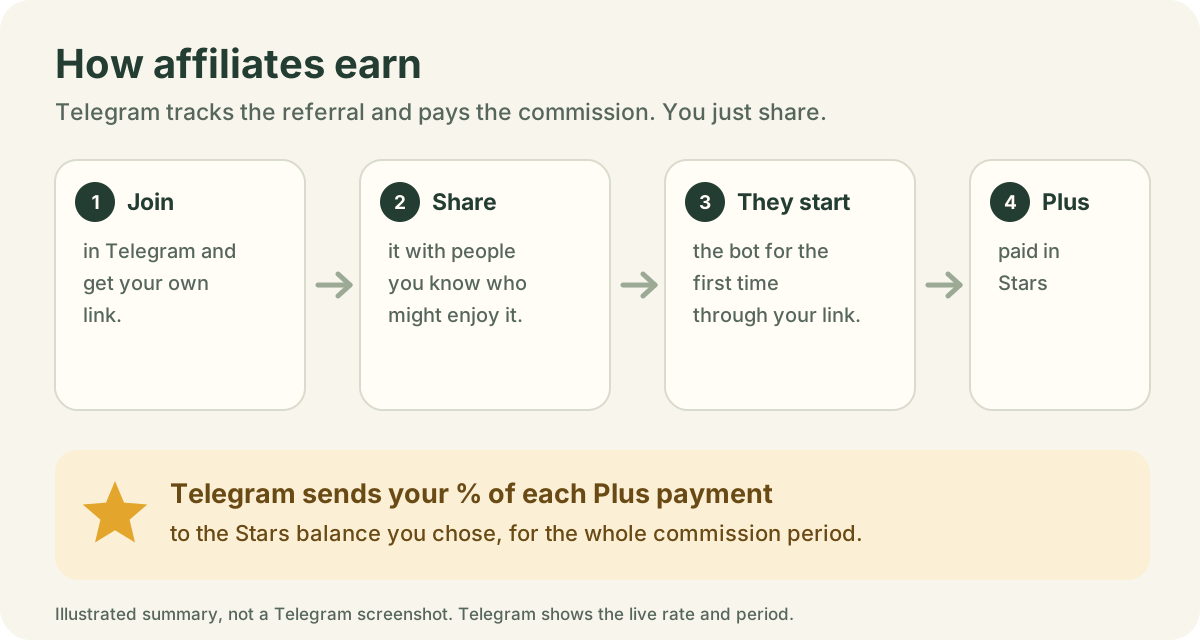
Invite people to Armored Kitten with your own Telegram link. If your friend doesn’t sign up for Plus, you still helped them with powerful free everyday tools; when someone starts the bot for the first time through your link and pays for Plus with Stars, Telegram automatically sends you a share of that payment.
Earn 50% of the Stars they pay in their first month. One Plus payment means 385 ⭐ for you.
Joining is free and takes about a minute in the Telegram app. You don’t need Plus yourself.
Open My referral links to generate an Armored Kitten link instantly, then tap Copy or Share. Eligible rewards are 50% of a friend’s first monthly Stars payment, proposed for owner review and manual transfer after a configured delay. Signup alone earns nothing. Telegram affiliate attribution, refunds or unverified history prevent approval.
Prefer Telegram’s affiliate program? Open Earn Stars from the same screen, join Armored Kitten in Telegram, then save your Telegram link once for easy copying and sharing. Telegram handles those commissions automatically. Each referred account can qualify for only one reward route.
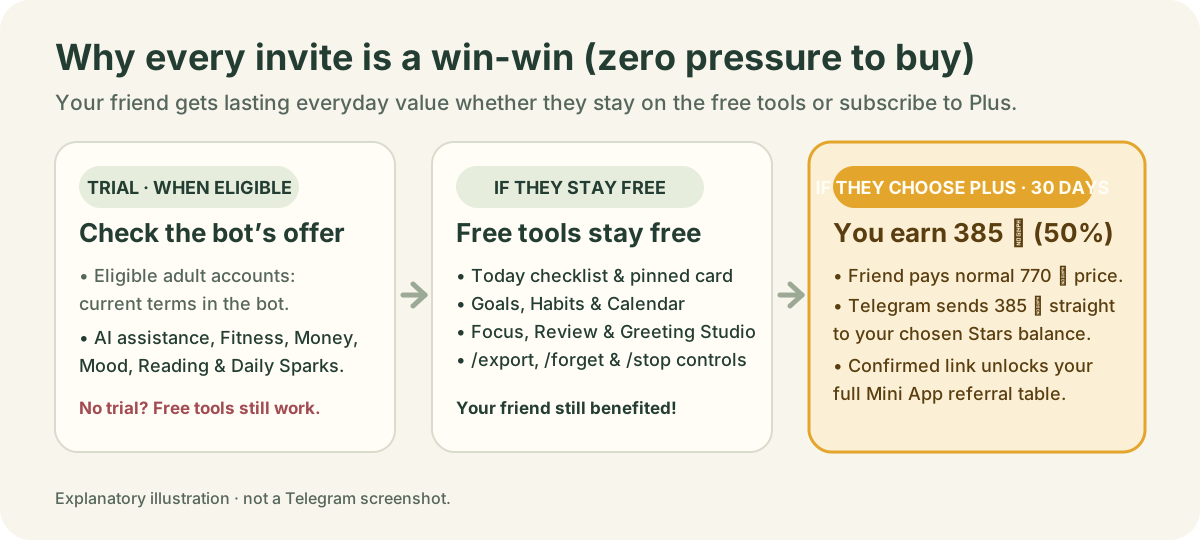
Memory hook: It’s a true win-win: if your friend doesn’t sign up for Plus, you still helped them with powerful free everyday tools; if they do sign up for Plus (770 ⭐) in their first month, Telegram sends you 385 ⭐ (50%).
2-minute practice: Open @armoredkitten_bot on your phone, copy your personal _tgr_ referral link, and paste it into your private Affiliate dashboard.
Affiliate study path · 3 levels
You don’t need to memorise every feature at once. Follow these three short study tracks at your own pace:
Finish the 5 steps on this page, choose your Stars balance carefully, and connect your link in the Affiliate dashboard.
Start Level 1 below →Learn how to match a friend’s everyday need to one first feature (Today, Manifest, Habits, Fitness or Money) and study the powerful free features.
Study Part 2: How to share →Use the 11-slide Pitch Deck to show the complete companion toolset, explain why free tools stay free, or film a 60-second video with the Creator’s guide.
Open Part 3: Pitch deck →Get your personal Armored Kitten link from your private Invitations screen. It is the same account-owned link used by your bot. No email is needed to copy or share it. Today and Habits are free in Telegram.
Eligible custom rewards are manually reviewed after a first paid month. Telegram affiliate attribution excludes a custom reward for the same referral. Signing up alone does not earn a reward. Choose one link per invitation.
Step 1
Use the Telegram app on your phone. The affiliate menus are in the iPhone and Android apps; some desktop apps may not show them yet.
Open @armoredkitten_bot, tap the bot’s name at the top of the chat, then tap Affiliate Program. The program card shows the commission rate and how long you earn from each person you refer.
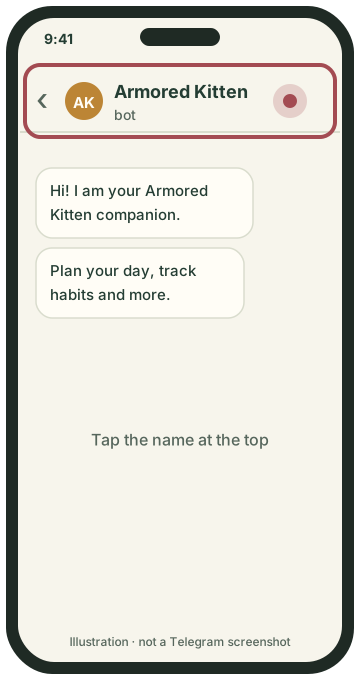
Open the bot and tap its name.
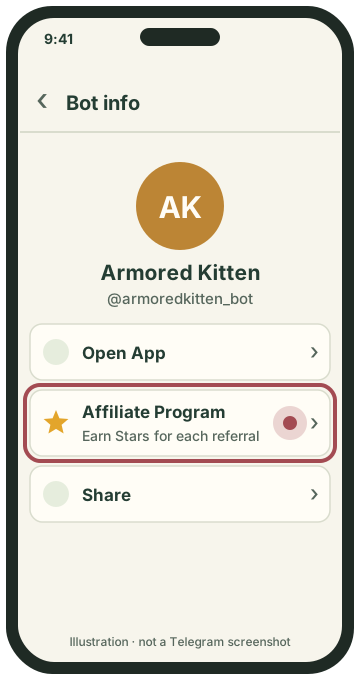
Tap Affiliate Program.
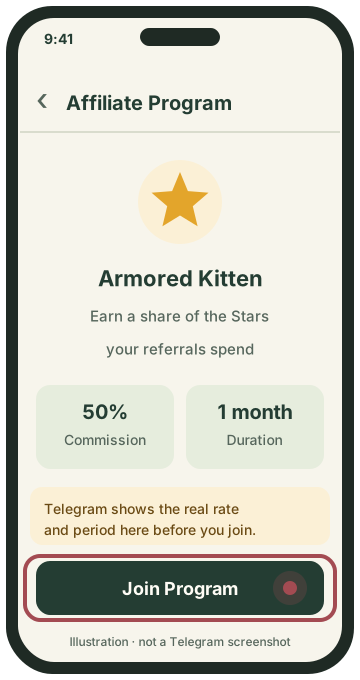
Check the terms, then tap Join Program.
Go to Settings → My Stars → Earn Stars. This lists every app with an affiliate program. Find Armored Kitten (you can sort by commission) and tap it.
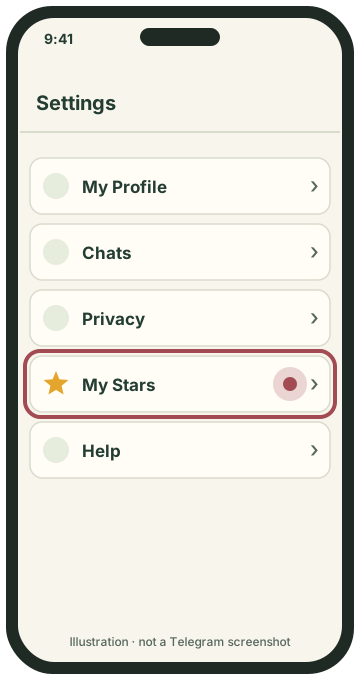
Settings → My Stars.
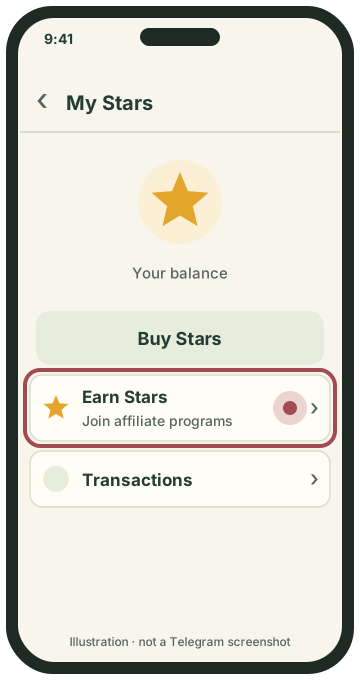
Tap Earn Stars.
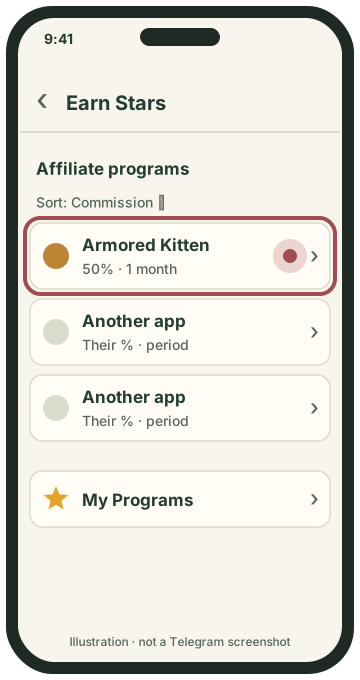
Find and tap Armored Kitten.
Telegram’s program card is the final word. If it shows different numbers, it is right and this page is out of date.
Step 2
Tap Join Program. Telegram asks which balance should receive your commissions:
Telegram does not let you move Stars between these balances later. Stars in your personal balance can be spent on digital products and subscriptions in Telegram.
Step 3
After you join, Telegram shows a link that is only yours. Tap Copy Link or Share. Anyone who opens it and starts Armored Kitten for the first time is counted as your referral.
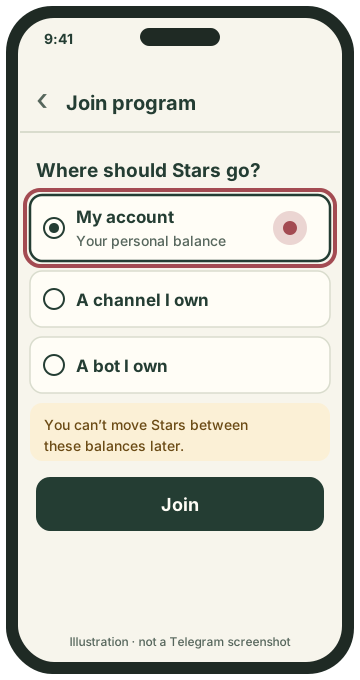
Choose where your Stars go.
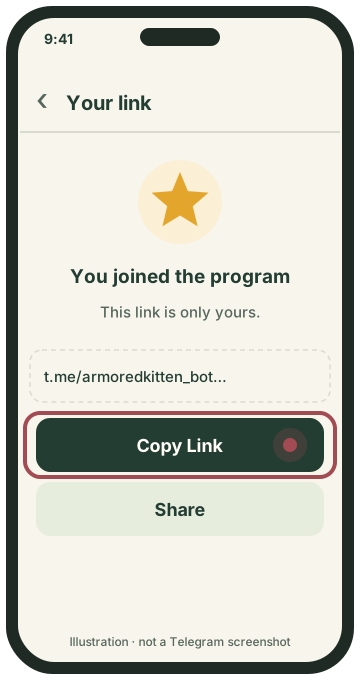
Tap Copy Link.
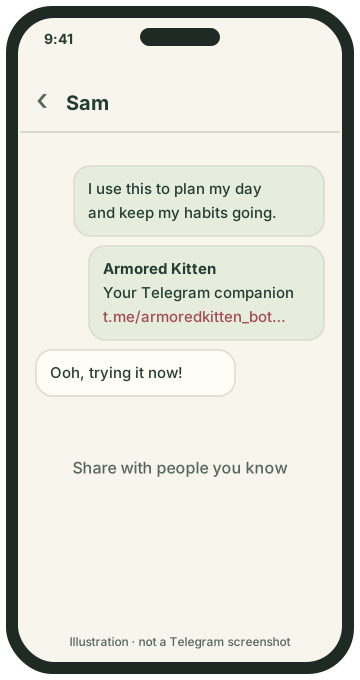
Send it with a personal note.
Your friend can check the trial and free tools available to their account in the bot. A trial is offered only when their account is eligible and trials are enabled; the bot shows its length and included features. A referral link does not reset a used trial or unlock unavailable features. Even when your friend never subscribes to Plus, they can use the powerful free everyday tools (Today, Goals, Habits, Calendar, Focus, Weekly review and Greeting Studio, plus Manifest in English preview)—so you genuinely helped their everyday life. Paying for Plus is their choice. You earn a commission when they pay with Telegram Stars. Read Part 6: Free features & win-win guide for the full breakdown.
Step 4
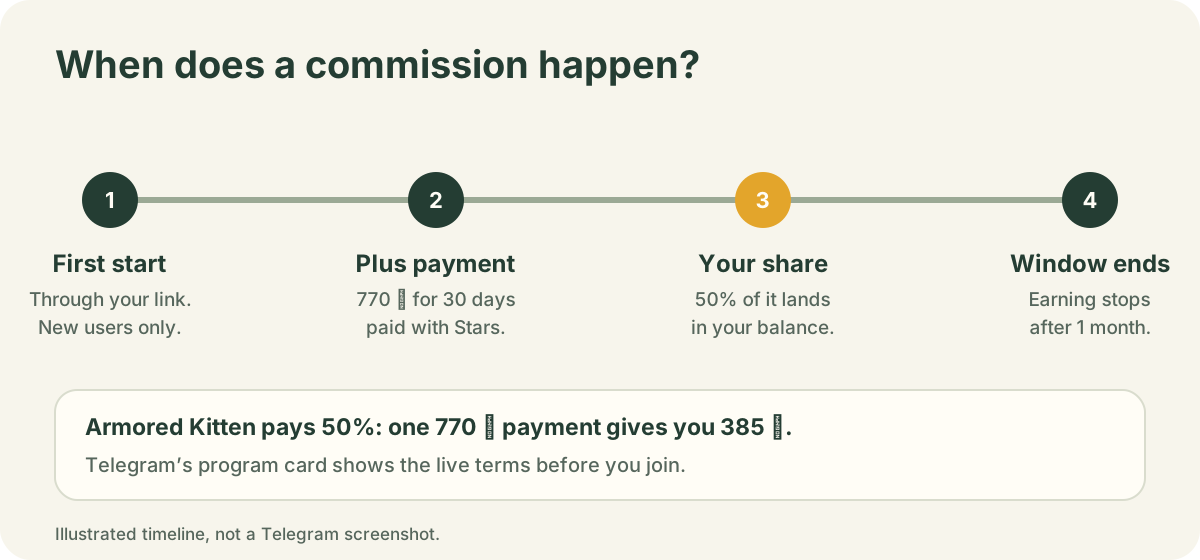
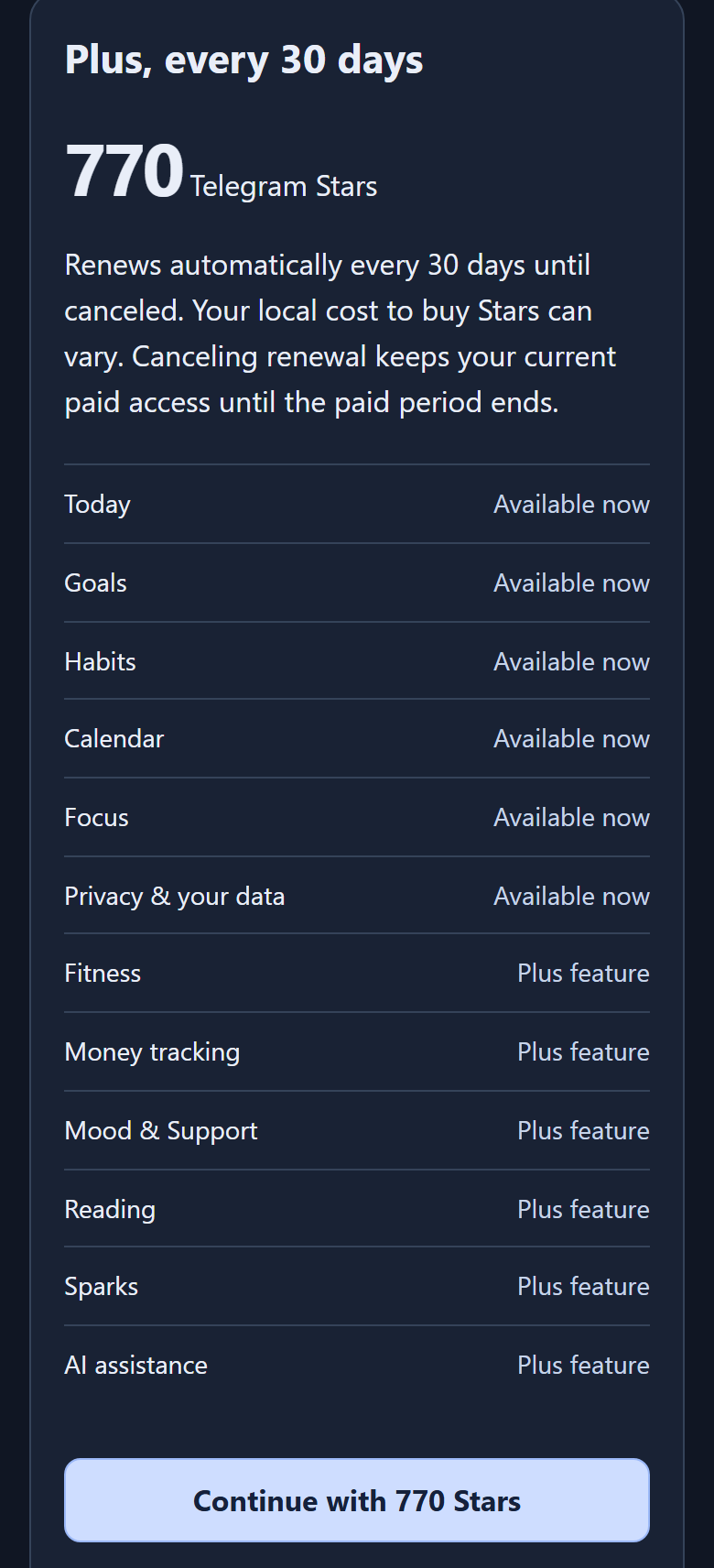
You earn when someone you referred pays with Telegram Stars. Today that means Armored Kitten Plus, which costs 770 ⭐ for 30 days (if a friend asks how to get Stars or subscribe, send them our illustrated How to pay for Plus with Stars guide). Telegram sends you 50% of each payment they make for 1 month after they join. With a 1-month window, usually only their first Plus payment falls inside it.
Step 5
In Armored Kitten: open your private affiliate dashboard (bot → Open my dashboard → More → Affiliate dashboard) and paste your affiliate link once. Once Telegram confirms the link is yours with your first commission, you see each person who signed up through it, when they joined, whether they paid and the Stars you earned. People are shown only by the last 4 digits of their Telegram ID.
When you open your affiliate dashboard in the Mini App, it walks through four stages. These screenshots are captured from the real Armored Kitten widget (public/telegram-affiliate.js) using a fictional sample account:
https://t.me/armoredkitten_bot?start=_tgr_… link (up to 5 links) and check whether it is Waiting for confirmation or Confirmed by a commission.••••4821), the date they signed up, whether they paid (Paid or Not yet) and the Stars you earned.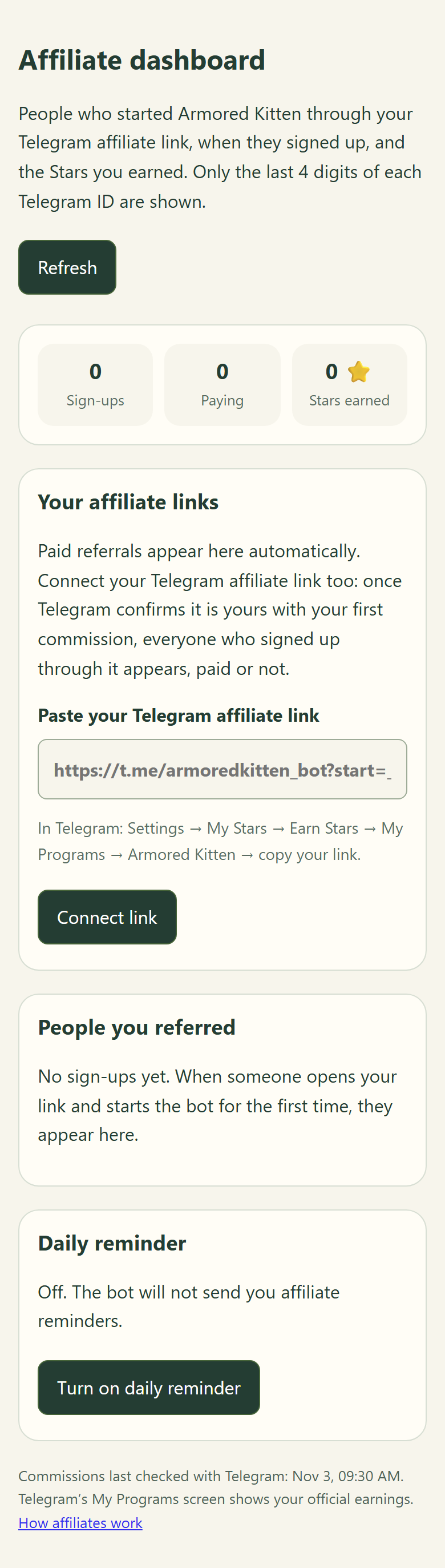
Paid referrals appear automatically from Telegram’s commission records. Connecting your link lets the dashboard list every sign-up once confirmed.
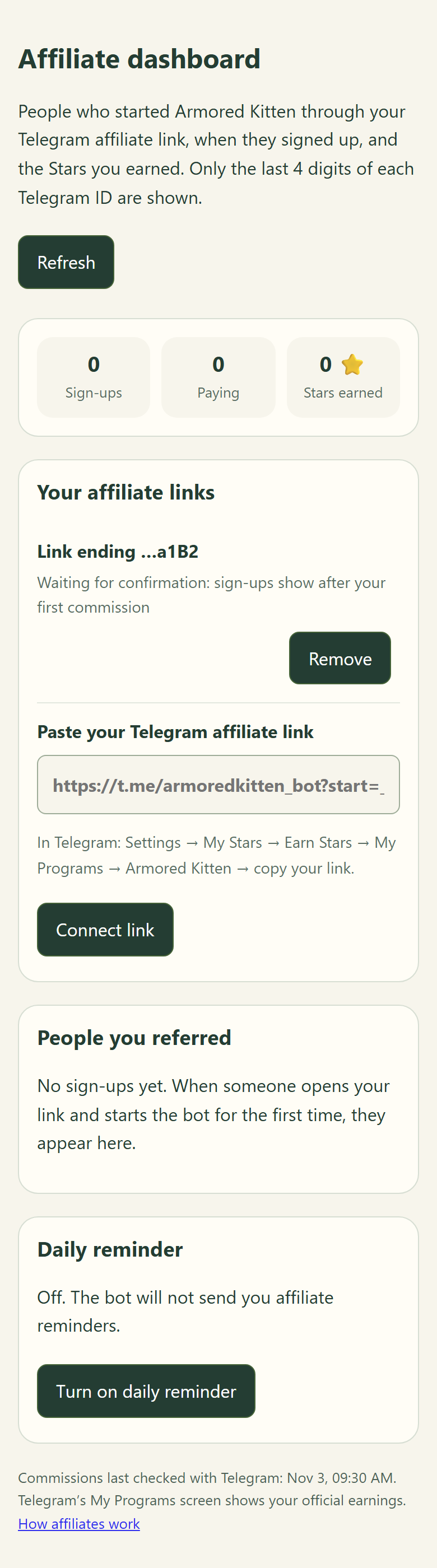
Why nobody appears yet: to protect user privacy, a pasted link shows no referrals until Telegram pays your first commission on that link and proves the code belongs to you.
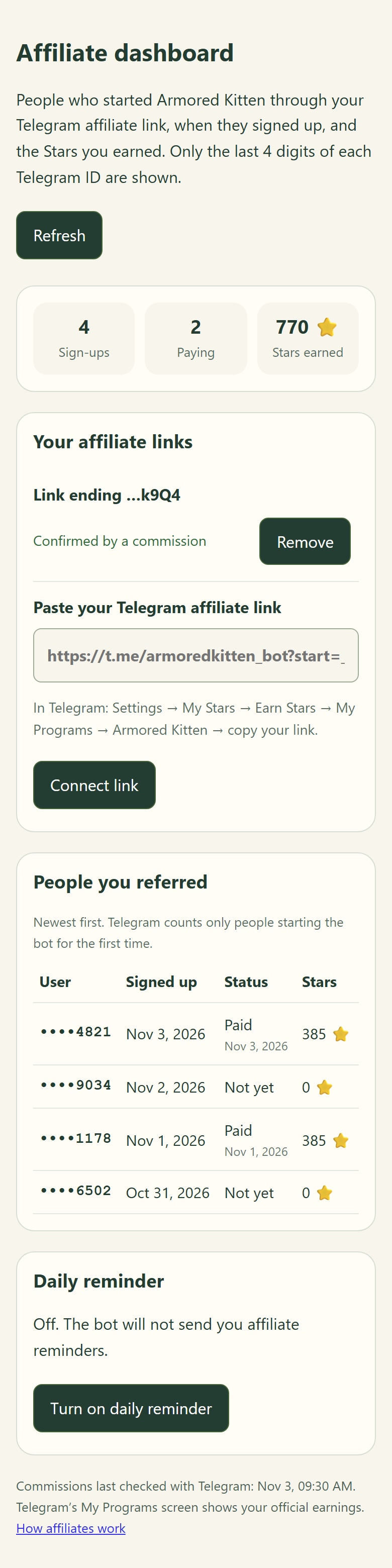
People marked Not yet are still getting value from a trial offered to their account or the free everyday tools. Never pressure or chase them.
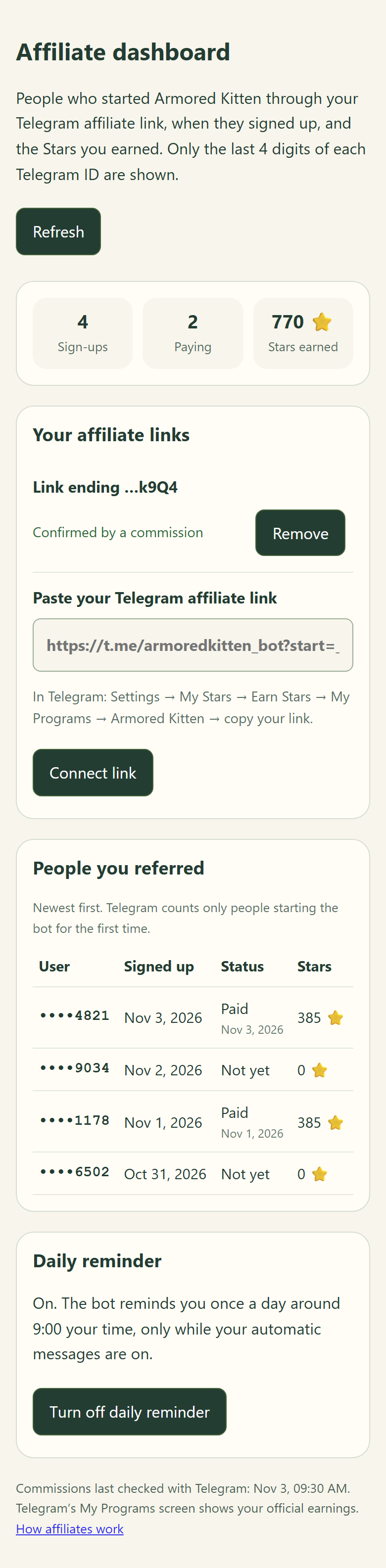
The daily reminder arrives around 9:00 your local time only when automatic messages are on, and includes a one-tap Stop button.
Check your dashboard once a week and compare with Settings → My Stars → Earn Stars → My Programs → Armored Kitten in Telegram (Telegram’s screen is the official payment record). Note: opening the dashboard directly via the startapp=affiliate deep link on physical phones and whether every Telegram client passes _tgr_ on first start remain open verification items in our release notes; paid referrals always appear from Telegram’s commission transactions.
In Telegram: go to Settings → My Stars → Earn Stars → My Programs → Armored Kitten. There you can copy your link again and see what Telegram reports about your referrals and the Stars you have earned.
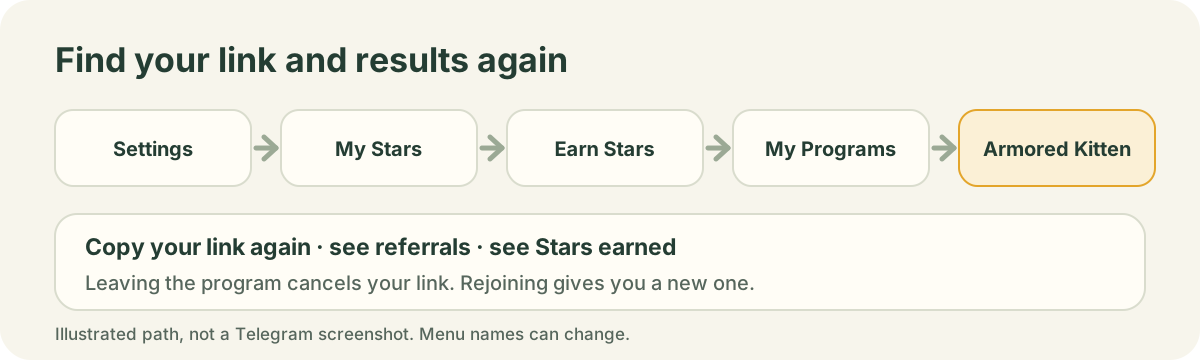
You can leave at any time from My Programs. Leaving cancels your current link, so links you already posted stop counting. If you rejoin, you get a new link.
Practice & self-test
Tap each card to check your answer before moving on to Part 2 (How to share & onboard).
What to say or do: Yes! If their adult account is eligible and a trial is offered, the bot shows its length and available features. Even without a trial, Today, Goals, Habits, Calendar and Focus stay free without a Plus subscription. Because week 3 is still inside your 1-month commission window from when they first started the bot, you earn 50% (385 ⭐ from 770 ⭐) when they pay with Stars.
Why this works: Knowing your friend wins either way removes all sales pressure when you share.
What to say or do: To protect user privacy, a pasted link is an unconfirmed claim until Telegram pays your first commission on that link. Once your first commission arrives, the link switches to "Confirmed by a commission" and shows every referral who started through it.
Why this works: This prevents anyone from pasting someone else’s referral code to peek at their sign-ups.
What to say or do: No. Telegram does not let you move Stars between personal, channel and bot balances after you join. Choose "My account" in Step 2 unless you specifically need Stars in a channel or bot you own.
Why this works: Setting the right balance up front avoids locked Stars later.
Learn every tool · Read next
Before you onboard a friend, explore the visual dashboard tutorials and written guides for each feature—including Manifest, Today, Habits, Fitness, Money, Mood and Greeting Studio. Every thumbnail uses disposable sample records.
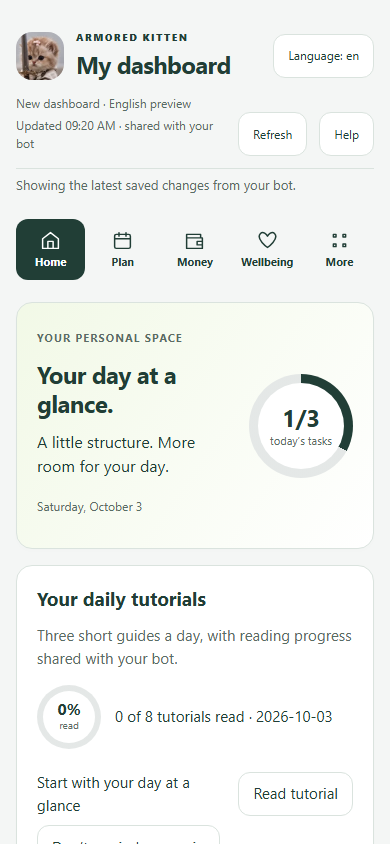 Sample tutorial screen
Brings today’s task ring, next steps, 7-day calendar/workout dots and daily tutorials into one screen.
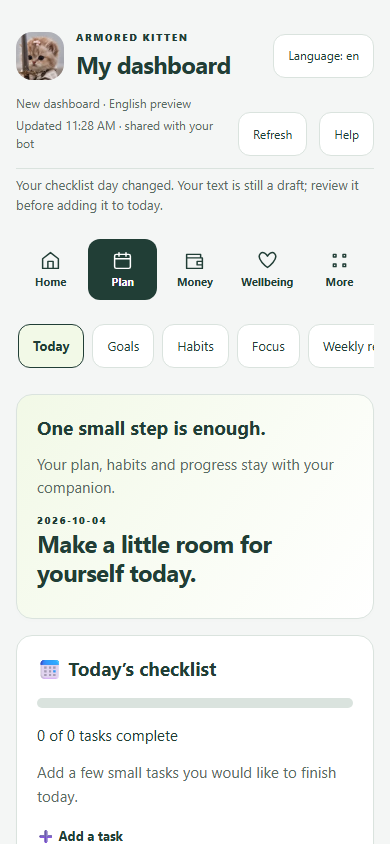 Sample tutorial screen
Shared daily task list between chat and Mini App. Tick in either place; pinned chat cards stay in sync.
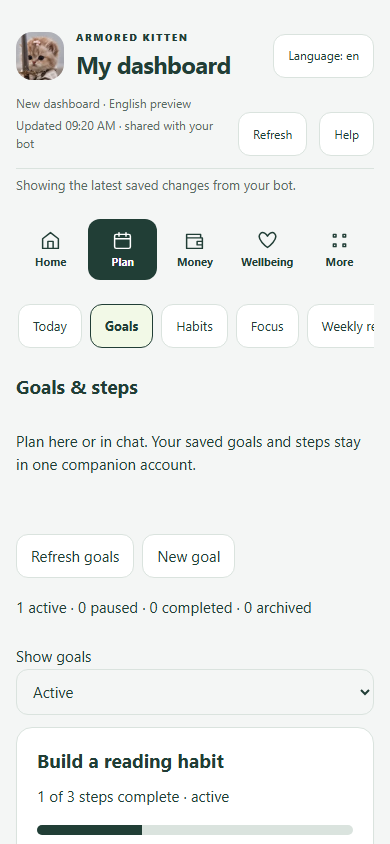 Sample tutorial screen
Break a big goal into small, doable steps and copy any open step straight into Today.
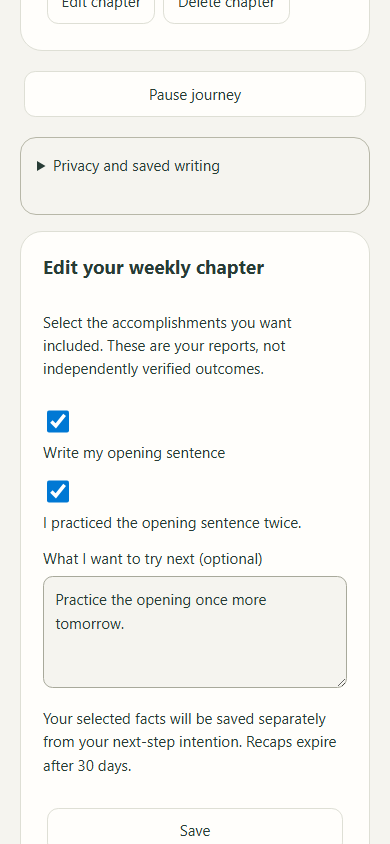 Sample tutorial screen
Write a short imagined scene and up to 3 believable affirmations linked to a goal, choose today’s small action, and build a 30-day weekly chapter from your recorded accomplishments.
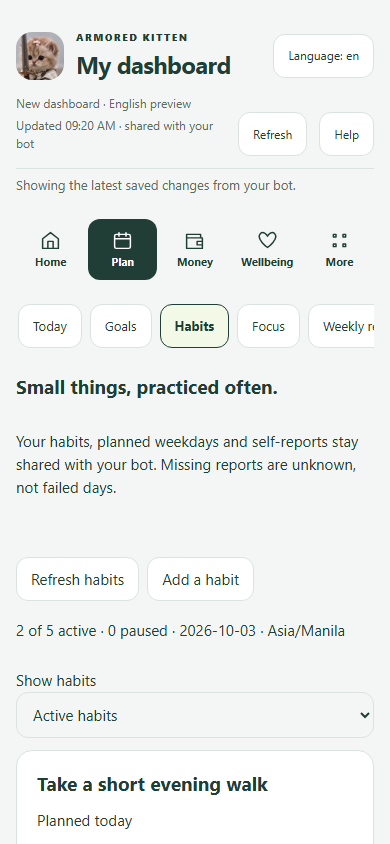 Sample tutorial screen
Choose planned weekdays and log Done or Not today. Rest days and unlogged today are skipped; an older unlogged planned day can end the run. Unknown is not proof of a missed action; the run looks back up to 60 days.
 Sample tutorial screen
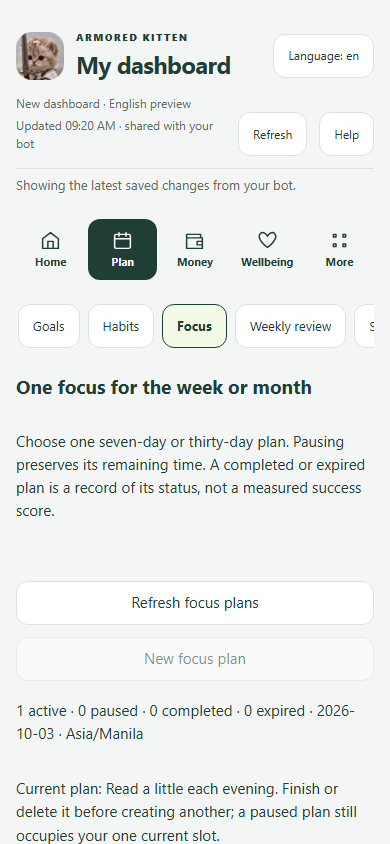
Set one bounded 7-day or 30-day intention you can pause, resume, edit or complete without pressure.
 Sample tutorial screen
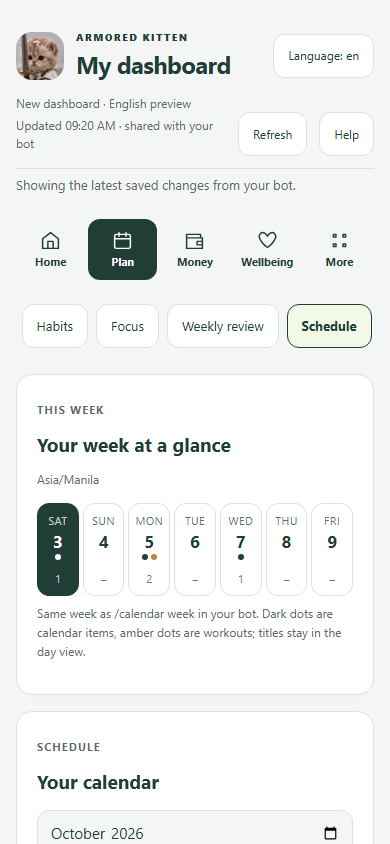
Month calendar and day agenda with one-time or recurring reminders, plus move/skip for a single date.
 Sample tutorial screen
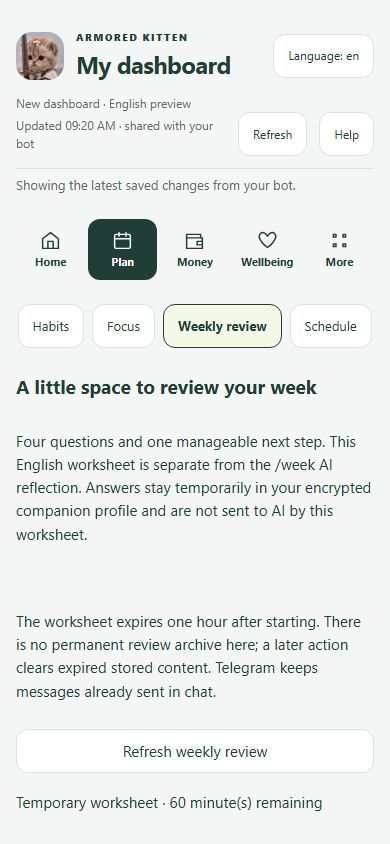
Temporary 4-question weekly review worksheet (/review) that turns your takeaway into a confirmed Goal step, plus /week reflection.
 Sample tutorial screen
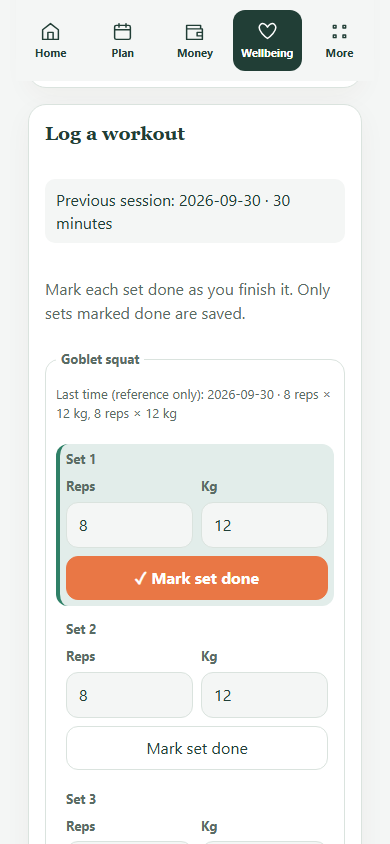
Pick a routine, place workout days on your calendar, and check in with taps (completed, shorter, rest or rescheduled) plus optional sets/weights.
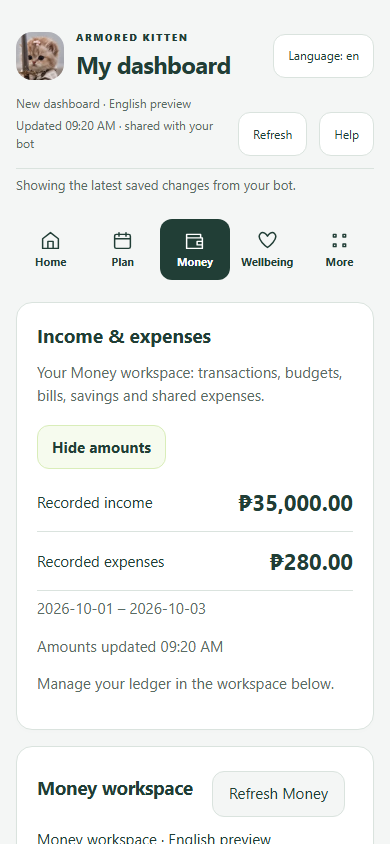 Sample tutorial screen
Log income and spending in chat or the Money view, review before saving, track budgets/bills/IOUs and export CSV. No financial advice.
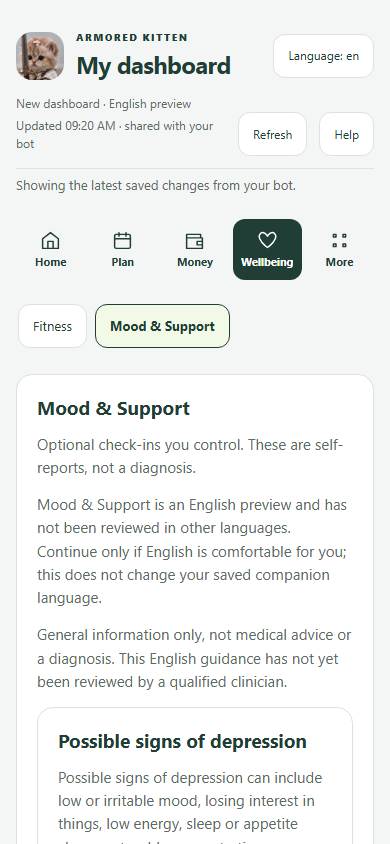 Sample tutorial screen
Separate consent for saved mood check-ins, low-pressure activity ideas, hard-day plans and country-aware human/crisis support links.
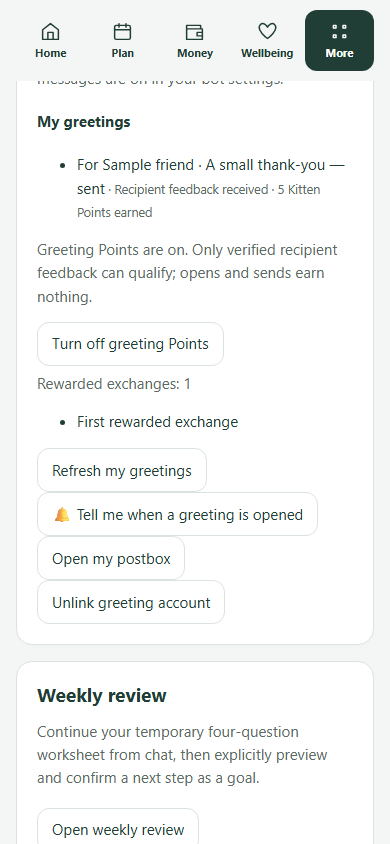 Sample tutorial screen
Manage automatic-message switches, topic pauses, email invitations, Greeting Studio cards (/guides/armored-kitten-tutorial) and daily tutorial pace.
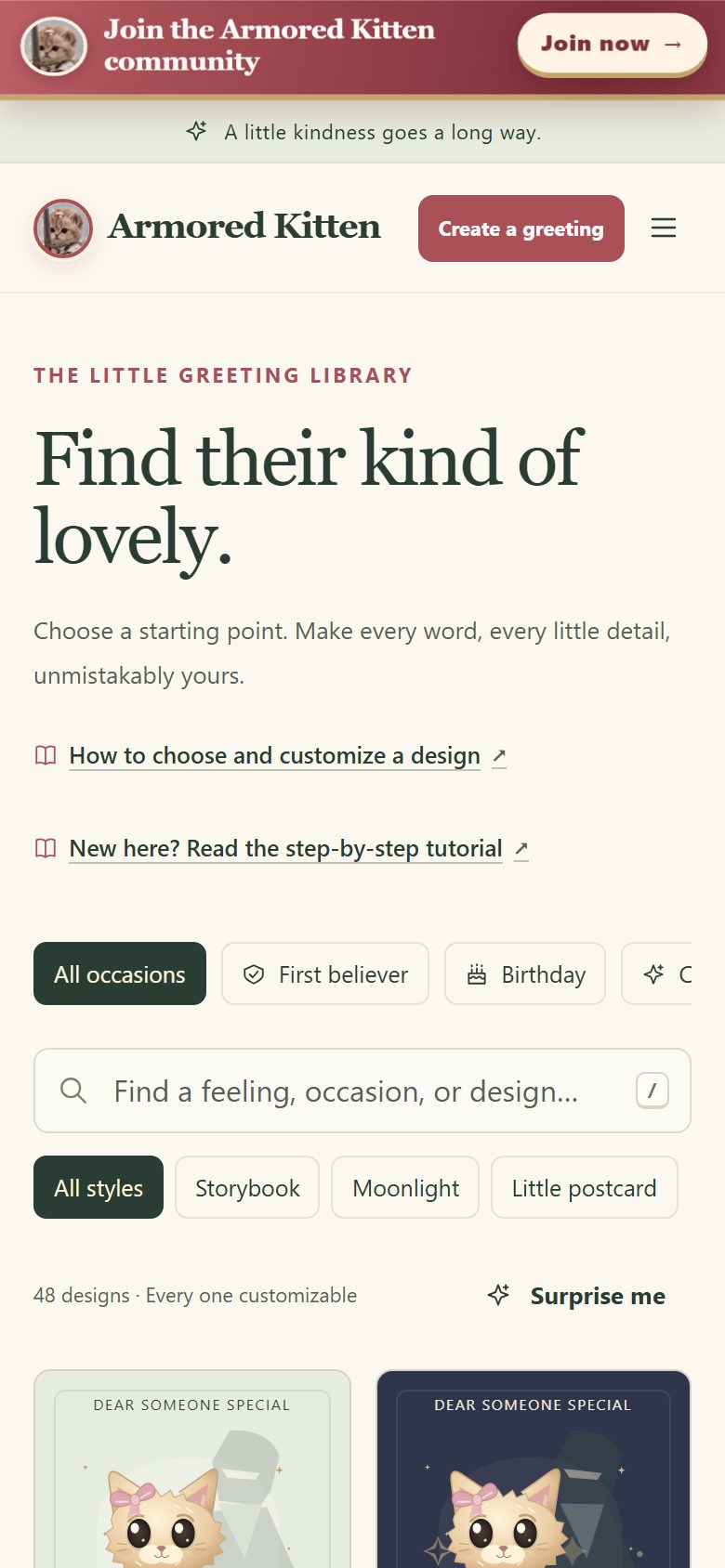 Sample tutorial screen
Create and send warm illustrated digital cards in three steps (Choose a moment → Make it personal → Preview and send) with no wallet required.
 Sample tutorial screen
Five illustrated steps to buy Telegram Stars, pay 770 ⭐ for 30 days of Plus, verify status and cancel renewal any time.
More tutorials: Full 12-screen Dashboard Tutorial · Complete Telegram Companion Guide · Greeting Studio Tutorial · How to Send a Token Gift · How to Claim a Gift.
No. Joining is free. You only need a Telegram account.
No. Anyone with Telegram can join and share a link. No crypto wallet is involved; commissions are Telegram Stars.
They can open it, but it won’t count. Telegram only counts people who start the bot for the first time through an affiliate link.
No. After confirming they’re 18 or older, they can use the free tools available to their account. If eligible, they may also be offered a trial; the bot shows the current terms and included features. Paying for Plus is their choice; you only earn when they pay with Telegram Stars.
No. They pay the normal Plus price. Your commission comes out of Armored Kitten’s share.
Telegram sends your commission to the balance you chose after a referred user’s Stars payment. Telegram decides the timing and rules of Stars balances; see its official guide below.
No. It is a simple way to be thanked in Stars when people you invite choose to pay. There are no guaranteed earnings, and nothing here is financial advice.
Telegram only lets us raise the rate or extend the period of a running program. Lowering them would mean ending the program and starting a new one.
Telegram updates its menus from time to time. Try both routes in Step 1. If you still can’t find it, update the Telegram app, then use Telegram’s official guide below.
Open the bot, tap its name, then Affiliate Program—or continue to Part 2 to learn how to onboard your first friend in 5 minutes.
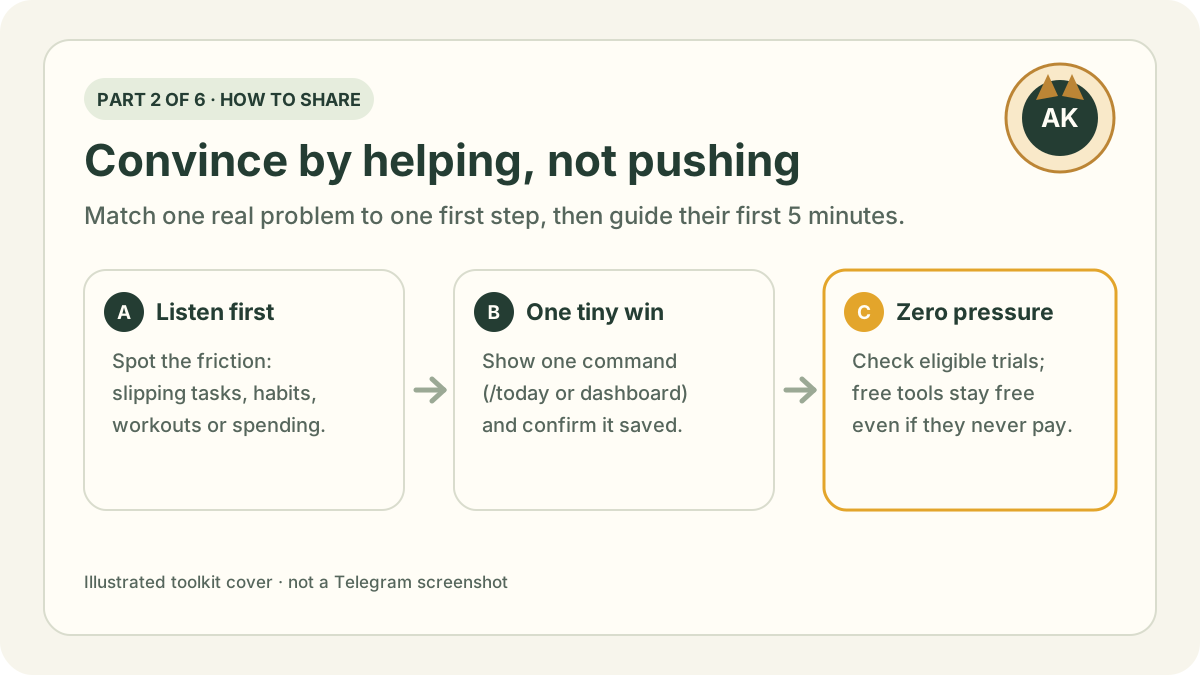
Match a friend’s everyday friction to one feature, walk them through their first 5 minutes, adapt ready-to-send messages and test yourself with flashcards.
Continue to Part 2: How to share →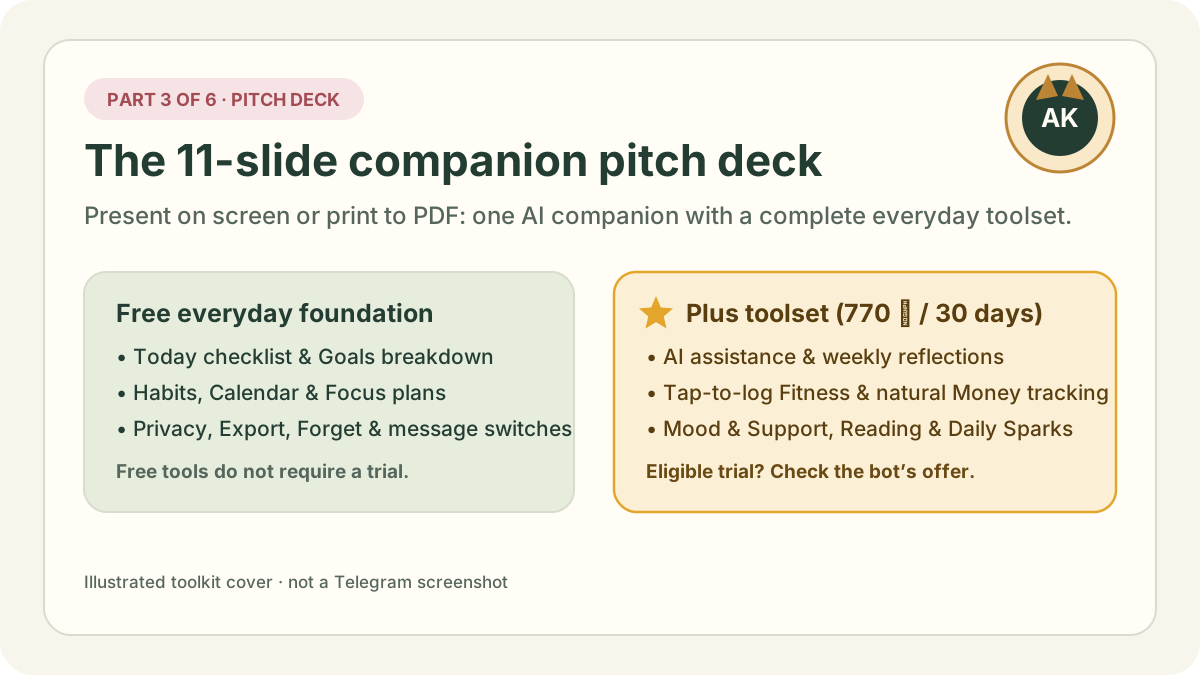
Eleven printable slides showing the everyday problem, how Chat and the Mini App work together, free vs Plus tools, Manifest, privacy controls and Stars pricing.
Read Part 3: Pitch deck →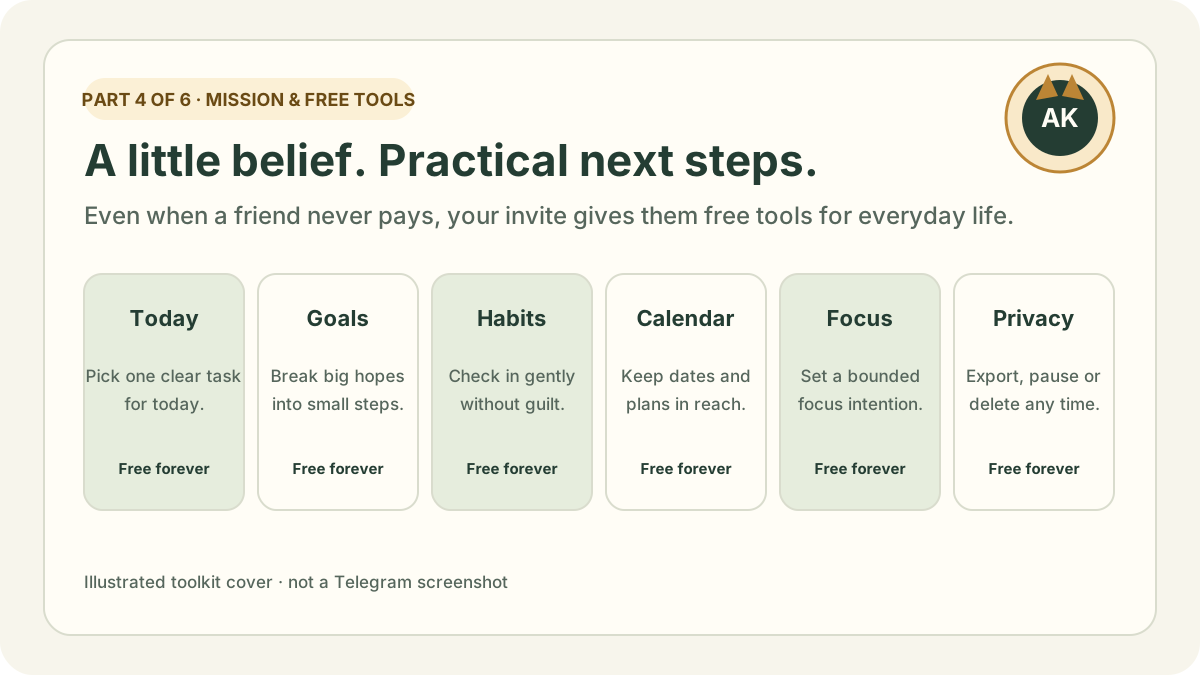
Why we build Armored Kitten, how friends keep free everyday tools and eligible accounts can explore a Plus trial when offered, and how Plus funds the work.
Read Part 4: Mission & free tools →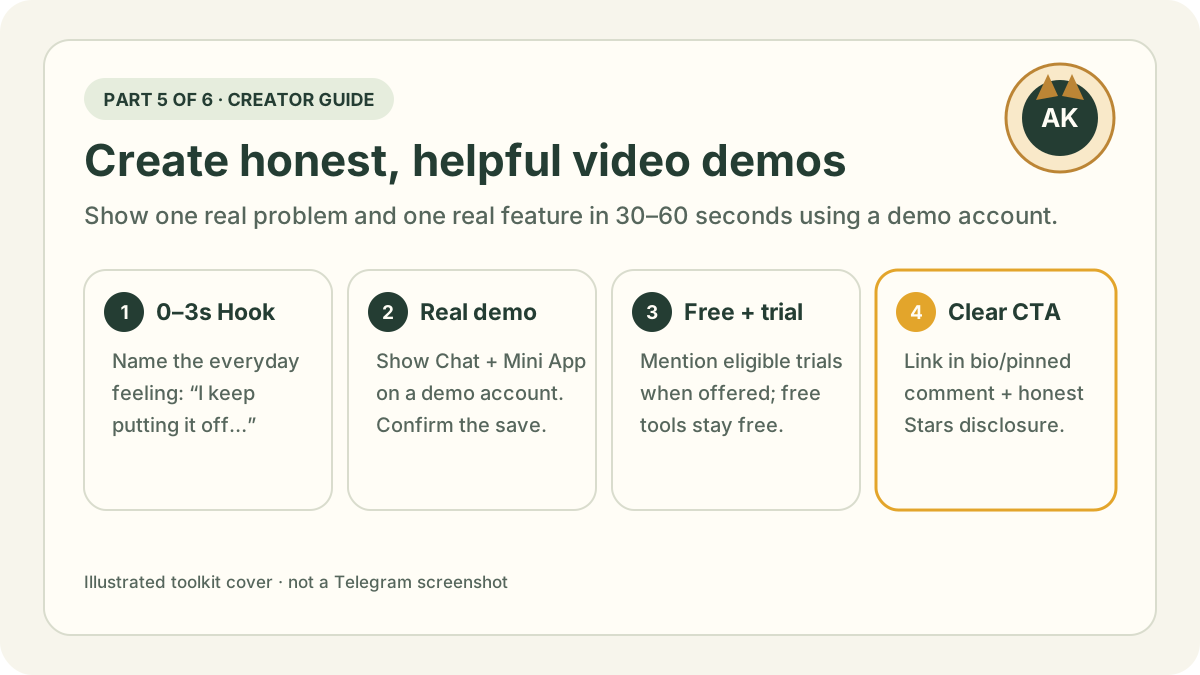
What features to film on screen, 8 video formats, a 60-second script template, demo-account recording rules, honest disclosures and a 2-week plan.
Read Part 5: Creator’s guide →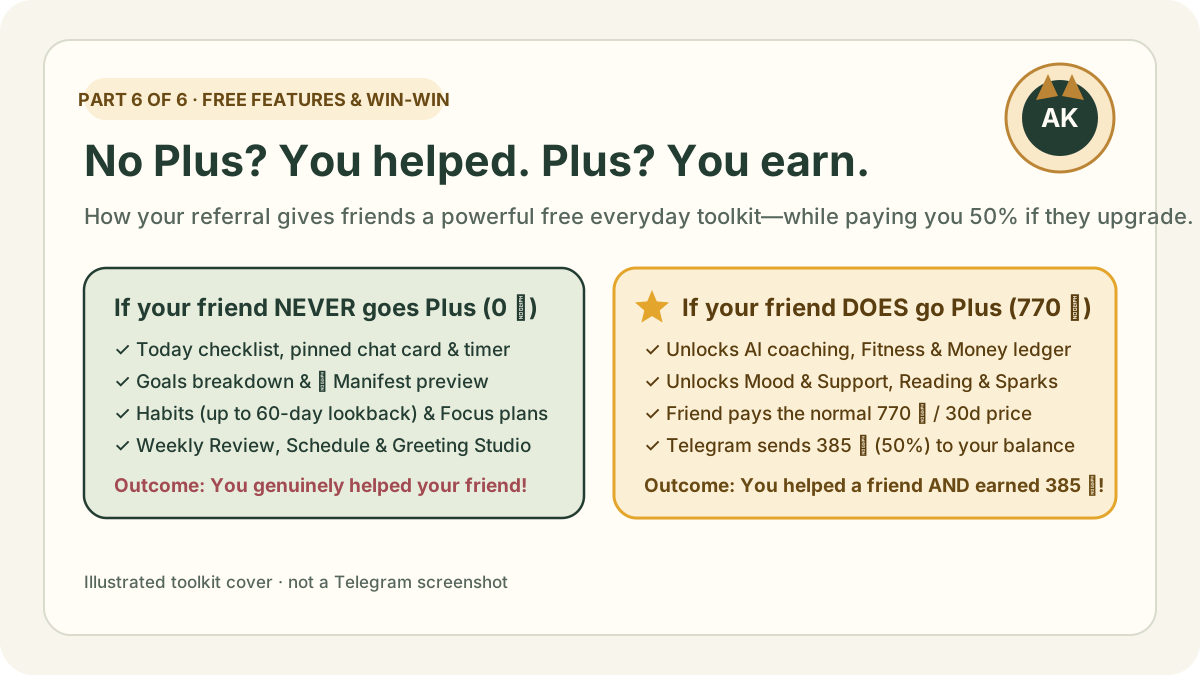
If your friend never subscribes to Plus, you still helped their life with 9 powerful free tools (Today, Goals, Manifest, Habits, Focus, Review, Schedule & Greeting Studio). If they do subscribe, you earn 50% (385 ⭐).
Read Part 6: Free tools & win-win →Telegram’s affiliate instructions were checked on . Menu names and positions may change; if your screen differs, follow the app.
The phone screens and diagrams are simplified illustrations made by Armored Kitten. They are not Telegram screenshots and do not show real links, balances or earnings. The dashboard preview images are demo screenshots of the real Armored Kitten Mini App screen using a fictional sample account. Telegram is a trademark of its owner; Armored Kitten is not affiliated with or endorsed by Telegram. This page is written in English.