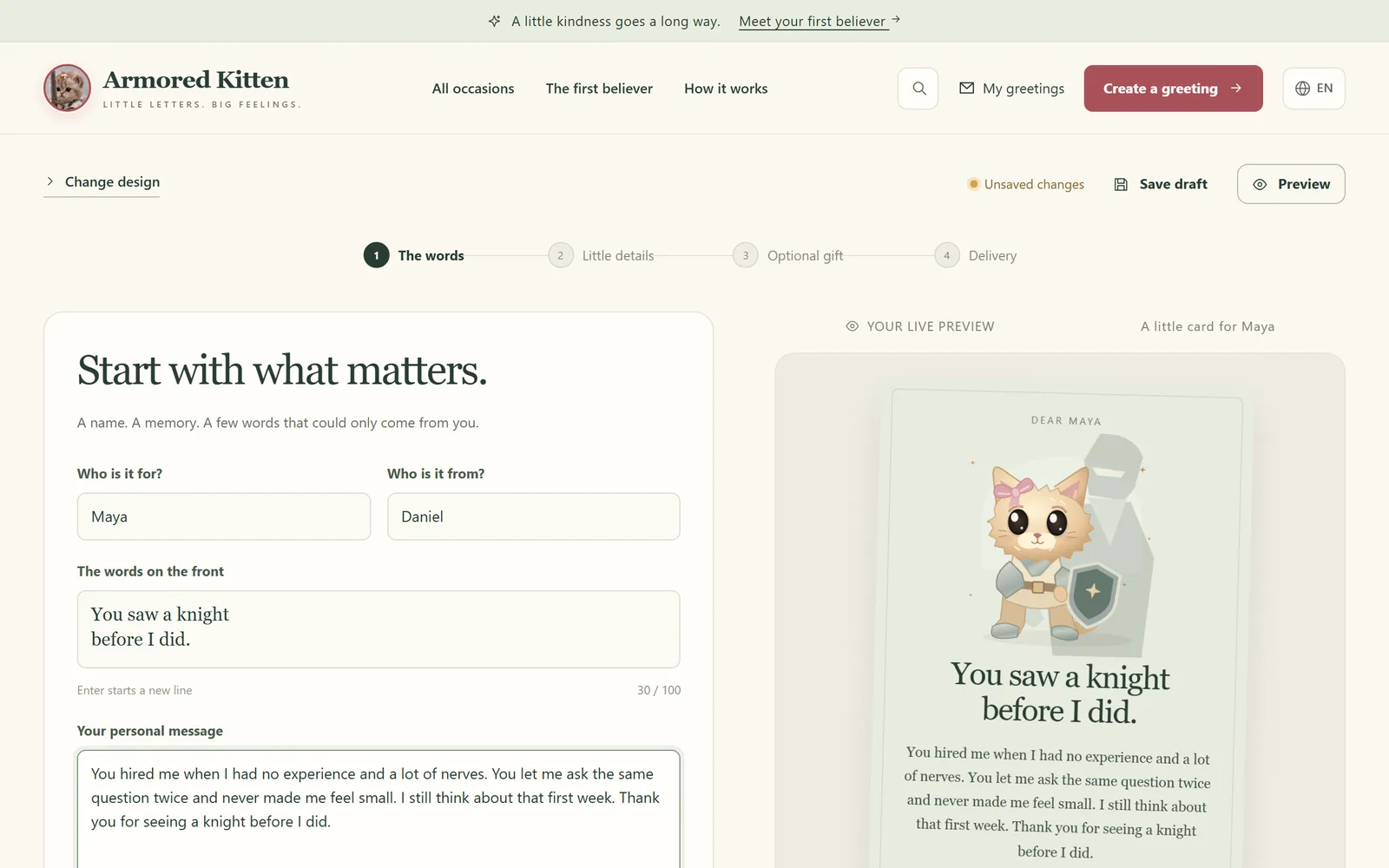
The Armored Kitten AI companion is a private, one-to-one chat in Telegram. It helps you turn a wish into a goal and small steps, checks in when you planned to do them, and remembers what you talked about last time. You start it from @armoredkitten_bot, confirm your email, link a Solana wallet, and new members get a free trial.
Step 1: Open the bot
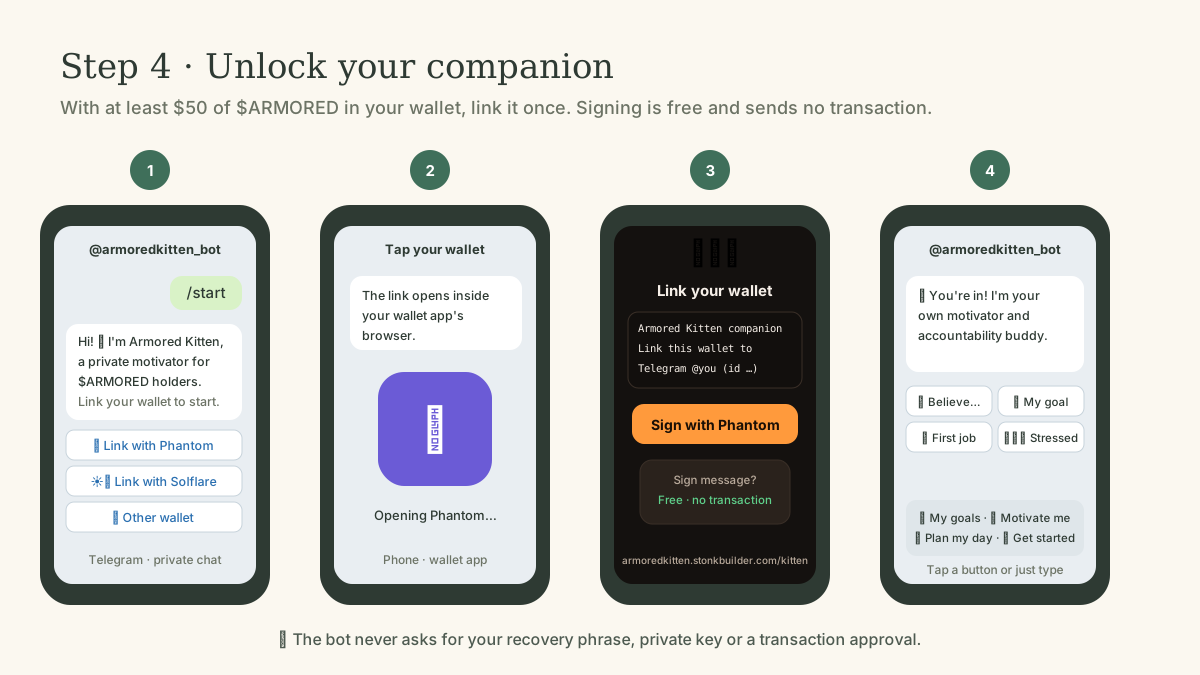
Open t.me/armoredkitten_bot in Telegram and send /start in the private chat. In the community group, /kitten replies with a Message me privately button. The companion only talks in private chats and never answers other group messages.
Step 2: Confirm your email
Type your email address in the chat. You'll receive a 6-digit code from support@stonkbuilder.com. Send it back to the bot within 15 minutes. If the code doesn't arrive, check your spam folder and ask for a new one in the chat.
Step 3: Link a wallet
The bot shows Link with Phantom, Link with Solflare and an option for other wallets. The linking page asks your wallet to sign one line of text. That signature is free, moves no tokens and is not a transaction. The bot then replies "You're in".
- No wallet yet? The bot points you to Jupiter Mobile, where you can create one by signing in with your email. Our beginner guide walks through wallet setup and backing up your recovery phrase.
- Using a wallet's built-in browser? Use the copy this link button on the linking page and open it there.
- One wallet unlocks one Telegram account.
Step 4: Free trial or holder access
If your wallet holds less than $50 of $ARMORED, you get a 7-day free trial with 30 messages a day. It's available once per Telegram account, email and wallet, and the bot reminds you a day before it ends.
After the trial, the companion is for wallets holding at least $50 of $ARMORED. Holders go straight in after confirming their email. The balance is re-checked from time to time, and access pauses if the wallet drops below $50. This is an access rule for a community tool, not a reason to buy: only use money you can afford to lose. If you do decide to get $ARMORED, follow the beginner guide and check the mint address first.
Step 5: Set your first goal
Talk to it in your own words, or tap the buttons that stay at the bottom of the chat:
- My goals shows a goal card with your goals and their steps. Tap ✅ to finish a step, New goal to add one, or Refresh to update the card.
- Motivate me for a nudge when you're stuck.
- Plan my day to turn today into a few small steps.
- Settings for the options below.
The companion often adds two to four tap-to-send replies, such as "Done ✅" or "Make it smaller", so you don't have to type.
Step 6: Check-ins and the daily note
When you plan a step, the companion can follow up at that time. Each check-in has four buttons: Done, Partly, Not yet and Later. Answer honestly; the companion uses your answer to adjust the plan.
You can opt in to a short daily note, sent at 9:00 a.m. in your time zone by default. In Settings you can choose another time or pause the messages. Daily notes may include a short real-life story with a link to its source.
Settings and privacy
Settings lets you rename the kitten, choose what it calls you, fix your time zone (type the time you see), review what it remembers, relink your wallet or ask it to forget you. The same options are available as commands:
- /goals: show your goal card
- /settings: open the settings card
- /memory: see what the companion remembers about you
- /forget: erase your profile, memories and conversation history
- /verify: link or relink your wallet
- /name <name>: rename the kitten
- /callme <name>: change what it calls you
Your profile and conversations are stored encrypted on the server. This is encryption at rest, not end-to-end encryption: to write a reply, the running bot and the AI model provider (DeepSeek) have to process your message. Don't share passwords, recovery phrases or anything you wouldn't tell a stranger. /forget removes your stored data. It doesn't restart a free trial you have already used.
Limits and breaks
Each person can send up to 60 messages a day (30 during the trial), and there is a shared daily budget for everyone. If the companion is switched off or the daily budget runs out, it replies with a short "taking a break" message. Try again later or the next day.
Frequently asked questions
Does linking my wallet cost anything?
No. Linking asks your wallet to sign one line of text. It is not a transaction, needs no SOL and moves no tokens.
Can the companion move my tokens?
No. It only reads your wallet's public balance to check access. It can't sign anything or send tokens from your wallet.
Is it a therapist or a financial adviser?
No. It helps with goals, habits and motivation. It never gives buy or sell advice, and for anything urgent it points you to real help.
Can I use it in my language?
Pick your language when you start the bot. Daily notes are available in several languages; translations of story notes are machine-generated, so each one links to its original source.
What happens to my data if I stop?
Send /forget to erase your stored profile, memories and history.
Is this connected to the greeting studio?
Both are built by members of the $ARMORED community. You don't need the companion to send greetings; see the studio tutorial for that.