No legitimate person, company or website will ever ask for your seed phrase. Not your wallet's support team, not an exchange, not a Discord admin, not a friend helping you set up, and not Armored Kitten. If anyone asks, you have already found the scam. The only time you type those words is when you restore your own wallet in the official app, on your own device, because you decided to.
That rule is simple. The cover stories around it are not, so this guide walks through the common ones, how to store your phrase safely, and what to do if it has already leaked.
What a seed phrase actually is
When you create a self-custody wallet, the app shows you 12 or 24 ordinary words in a specific order. Those words are a human-readable version of your private key. Wallet apps call it a seed phrase, recovery phrase or secret recovery phrase. They all mean the same thing.
Type those words into any compatible wallet app, on any phone or computer in the world, and it rebuilds your wallet with everything in it. There's no password on top, no second factor, no "are you sure?" email to you. That's what makes it a useful backup, and why it's the single thing scammers want most.
Your wallet provider can't reset it, can't see it and can't freeze funds taken with it. Jupiter's help pages put it plainly: anyone with your recovery phrase has full control over your wallet.
Every major wallet says the same about requests for it. Phantom's support will never ask for your recovery phrase or private key. Solflare says no official support team will ever ask for it. Ledger's line is we will never ask for it, nor should anyone else. MetaMask adds that it never DMs you offering support.
Who may ask for your seed phrase?
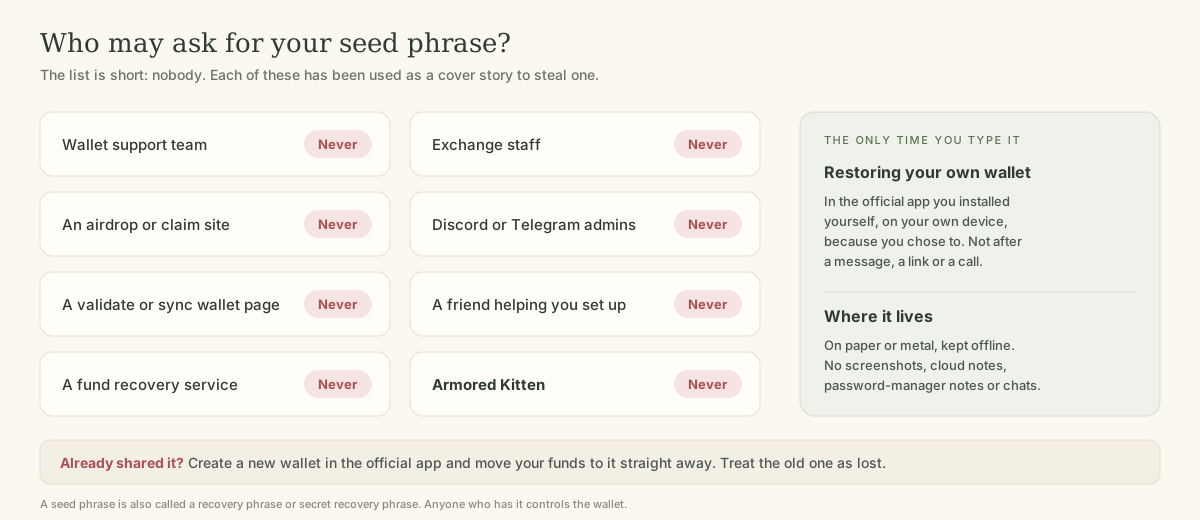
The list of people who may ask is empty. The list of people who will pretend they need it is long.
The cover stories scammers use
"Support" fixing a problem
You post in a public channel that a swap is stuck. Within minutes, someone with "Support" or "Admin" in their name DMs you. They're friendly and fast, and they send you to a "support portal" or "sync tool" where the fix requires your recovery phrase. Real support teams don't open DMs, and none of them can use your seed phrase to help you.
Wallet validation, sync or upgrade pages
"Your wallet must be validated to stay active." "Sync your wallet to receive the airdrop." "Upgrade to the new version by re-entering your phrase." MetaMask warns about emails claiming a wallet failed to update and must be verified or restored. These pages often look exactly like a real wallet's restore screen. There is no such thing as validating a wallet with its recovery phrase. Wallets don't expire, and upgrades happen through the app store.
Fake wallet apps and browser extensions
A copycat app in a store, or an extension promoted through a search ad, looks and behaves like the real wallet. When you create or import a wallet, it quietly sends the phrase to the attacker. Phantom notes that fake apps can get past app store reviews, so a store listing isn't proof. Install wallets only by following the link on the wallet's official website. Check the developer name and review count before you tap install.
Pre-filled hardware wallets
A hardware wallet bought second-hand or from an unofficial seller may come with a card that already shows a recovery phrase, sometimes with a note telling you to use it. Ledger says a legitimate device never comes with a recovery phrase pre-configured. Whoever wrote that card can empty the wallet whenever they like. Buy from the manufacturer or an authorised reseller, and always generate a new phrase yourself.
The friendly helper
Sometimes the person asking isn't a stranger. A colleague, a new friend from a community chat or a relative offers to "set everything up" for you. Even with good intentions, a phrase that someone else has seen is a phrase you can't trust. Let them explain the steps while you do the typing and keep the paper.
The "free wallet" with someone else's phrase
A post or video comment shares a seed phrase, apparently by mistake, for a wallet holding a large balance. You import it and see the funds, but you can't move them without paying a fee in SOL or another token first. The moment you send that fee, an automated program sweeps it away. MetaMask describes this honeypot: the tokens you send for gas are automatically sent elsewhere by a sweeper script. It's a trap baited for people who think they've found someone else's mistake. Never import a phrase you didn't create.
Recovery and "unlock" services
After a theft, scammers pose as investigators or recovery firms that can trace and return your funds. Some ask for the phrase of the drained wallet "to analyse it". Others ask for an upfront fee. Both are second scams aimed at people who have already lost money.
How to store your seed phrase safely
Good storage is boring, and that's the point.
Storing your recovery phrase
- Write it down by hand
on the paper or card your wallet suggests, in order, and check the spelling of every word.
- Keep it offline.
No photos, screenshots, cloud notes, emails, chat messages or documents. Solflare points out that screenshots sync to cloud storage, and anything synced to the internet can leak.
- Store it somewhere private and safe from fire and water,
like a locked drawer or a home safe. For larger amounts, consider a metal backup plate.
- Think about a second copy
in a different secure place, so one house fire or flood doesn't end your access.
- Never type it into a website,
a form or a chat window. Restoring happens inside the official wallet app only.
- Decide who should know where it is
if something happens to you. Tell them where, not what.
"I already shared my seed phrase." What now?
Act as if the attacker is already inside, because they may be. Automated programs can sweep a compromised wallet within seconds of new funds arriving.
If your phrase has leaked
- Create a brand-new wallet
in the official app, with a new seed phrase you write down yourself. Don't import the old phrase into it.
- Move everything that's left
from the old wallet to the new one, starting with whatever is worth the most.
- Stop using the old wallet.
Don't send anything to it again, including SOL for fees. Funds sent there may be taken instantly.
- Check where else you used the phrase.
If you imported it into other apps or devices, remove it from those too.
- Report it.
In the US, report to IC3 and ReportFraud.ftc.gov. In the UK, use Report Fraud. Elsewhere, contact your national fraud service. Keep screenshots and the scammer's usernames.
- Ignore anyone offering recovery.
That includes accounts that reply to your public post about the theft.
Why Armored Kitten never needs your seed phrase
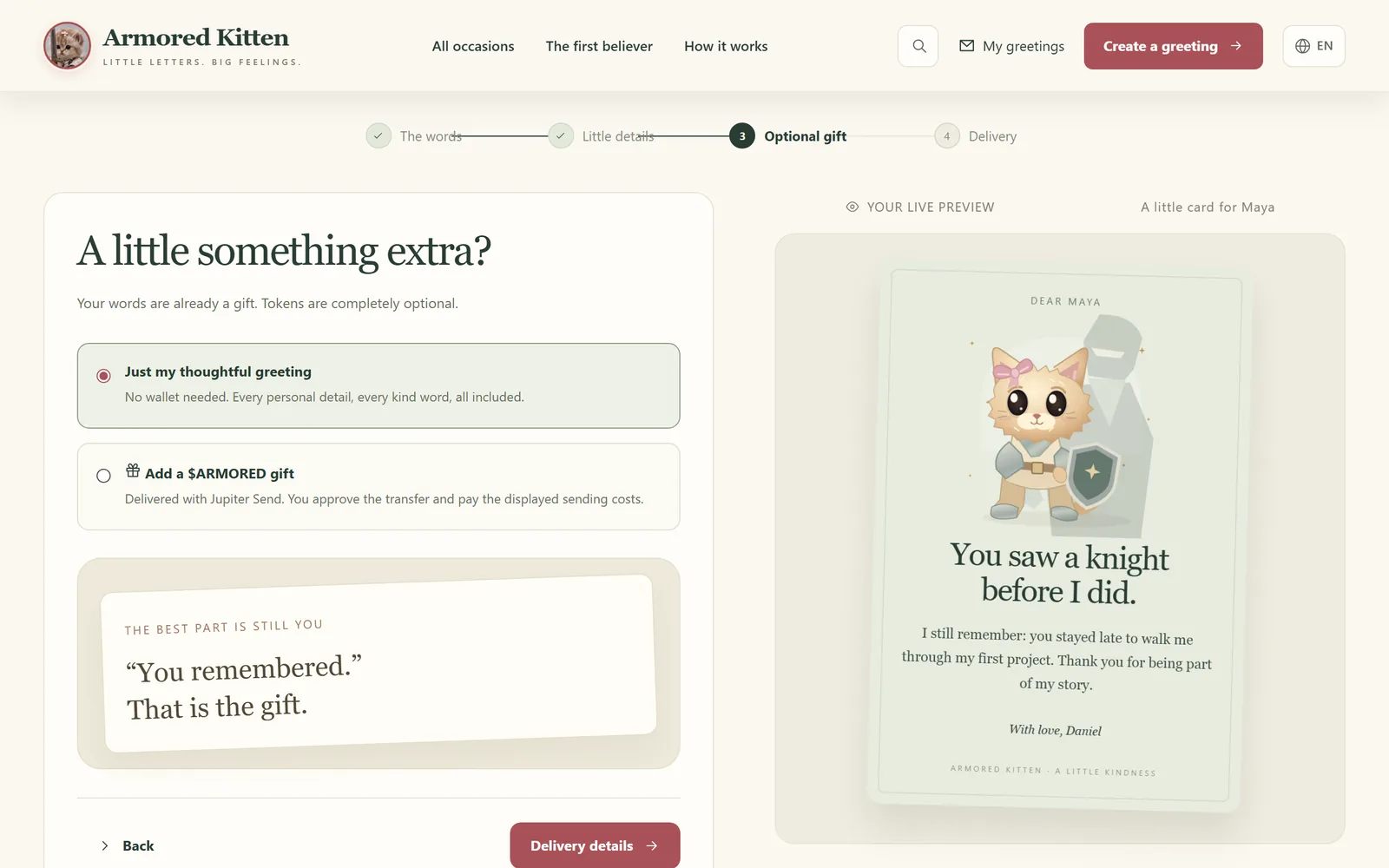
Sending a greeting with Armored Kitten needs no wallet at all. Where gifting is enabled and a sender adds an optional $ARMORED gift, they approve the transfer in their own wallet app, and the recipient claims it in the Jupiter Mobile app. At no point does our site, our email or anyone claiming to represent us need a seed phrase or private key. Armored Kitten is not affiliated with Jupiter.
We never ask for or hold your wallet's seed phrase or private keys. Until a gift is claimed or returned, the service keeps an encrypted copy of its claim code. Anyone with that code, or with the private greeting link, can claim the gift, so treat a gift link like cash. Your seed phrase deserves even more care, because it protects everything in your wallet.
Frequently asked questions
Will my wallet's support team ever ask for my seed phrase?
No. Real wallet and exchange support teams can't use it to help you, and they tell users never to share it. Anyone who asks is impersonating support.
Is it safe to store my seed phrase in a password manager?
It's much safer than a screenshot or a note app, but it's still online. Most wallet makers recommend writing it down and keeping it offline. If you do use a password manager, protect it with a strong master password and two-factor sign-in.
Can I change my seed phrase?
Not on an existing wallet. You create a new wallet, which comes with a new phrase, and move your funds to it. That's also the fix if the old phrase leaks.
What's the difference between a seed phrase and a private key?
A seed phrase can generate many private keys, one for each account in the wallet. Either one gives full control, so protect both the same way.
Someone sent me a seed phrase with money in it. Should I use it?
No. It's a known trap. You'll be asked to pay a fee to move the funds, and that fee is taken by a bot the moment it arrives.
Twelve words, one rule
The safest seed phrase is one that has only ever been seen by you and a piece of paper. Keep it that way and most crypto scams lose their biggest prize. For the full set of habits, read our field guide to crypto scams for beginners, and for links that try to steal it, how to spot a crypto phishing link.
Plain-language disclaimer: this guide is general safety information, not security advice for your specific situation. Follow your wallet maker's own backup instructions. Armored Kitten never asks for your seed phrase.
Armored Kitten is an independent greeting studio and is not affiliated with or endorsed by Jupiter. Token gifts are optional, can change in value, and are not investment advice. Check the rules that apply where you live.