On Solana, a token's name, ticker and logo prove nothing. Anyone can create a new token called anything, with a copied picture, in a few minutes. The only reliable identity is the token's mint address, a long string of letters and numbers that can't be copied. Wallet addresses face a similar trick called address poisoning, where a scammer plants a look-alike address in your history and waits for you to paste it.
This guide shows how to check a mint address, what a token's settings can reveal, how address poisoning works, and the habits that make both scams fail.
Why fake tokens are everywhere
Creating a Solana token is cheap and fast, which is great for experiments and bad for beginners. When a token starts trending, copies appear with the same name and ticker. Some exist to trick buyers into swapping for the wrong thing. Others are sent unasked to thousands of wallets as bait, with a web address in the name or image.
Solana's documentation describes a mint account as the thing that represents a specific token and holds its global details, such as total supply. The docs also say tokens are uniquely identified by the address of a Mint Account. Two tokens can share a name. They can't share a mint address.
How to check a token's mint address
Verify a token before you swap or gift
- Get the mint from an official source.
The project's own website, its documentation or a pinned post on its verified account. Not a reply, a DM or a screenshot someone shared.
- Paste it, don't search by name.
In Jupiter or your wallet, paste the mint address into the token search. The result should be a single token. Jupiter marks the canonical token for a name with a green verification checkmark, which helps, though Jupiter says verification is not an endorsement.
- Compare the whole address.
At the very least, check a long run of characters at the start, the middle and the end. Look-alike mints often match only the first and last few.
- Look it up in a block explorer
such as Solana Explorer or Solscan. Check the name, supply and the settings described in the next section.
- Check it again in the wallet prompt.
Before you approve, make sure the token in the confirmation screen is the one you verified.
Worked example: $ARMORED
The official $ARMORED mint is:
`Bq4iwaa2hGWweyCeM9ZNyWnZSj6pCMeUDKZgmtb5pump`
Any token called ARMORED, Armored Kitten or similar with a different mint is not the token we gift. Armored Kitten only ever gifts this one mint, and the gift step shows it before the sender approves anything. Our beginner's guide to buying $ARMORED shows how to paste it into Jupiter.
$ARMORED is a small community token. It is not an investment product, its price can fall to zero, and nothing here is financial advice.
What a token's settings can tell you
A block explorer shows a few settings that reveal what the token's creator can still do. None of them proves a token is safe or worth anything, but some are serious warning signs.
- Mint authority. If it's still active, someone can create more tokens at any time, diluting everyone else. Revoked means the supply is fixed.
- Freeze authority. If it's active, the holder of that authority can freeze token accounts. Solana's docs say a frozen account can't transfer, receive or burn tokens. If the authority is revoked, no account can be frozen.
- Token-2022 extensions. Solana's newer token program supports optional extensions. Most are harmless, like metadata. A few change what you control: a permanent delegate can move or burn tokens from any holder's account, and holders can't revoke it, transfer fees withhold part of each transfer, and transfer hooks run extra code whenever the token moves.
- Holder concentration. If one or two wallets hold most of the supply, they can sell into the market and crash the price.
As an example, when we checked on 3 October 2026, the $ARMORED mint had its mint and freeze authorities revoked, and its only Token-2022 extensions were for metadata. That's a description of its settings, not a reason to buy it. Check these details yourself for any token you're about to receive or send.
Rug pulls and honeypots
Two token scams are worth knowing by name.
- Rug pull. The creators attract buyers, then drain the liquidity pool or abandon the project, or dump their large holdings, leaving everyone else with tokens that can't be sold for much.
- Honeypot. The token can be bought but not sold, often because of a freeze authority, a blocking transfer hook or other restrictions. The chart only goes up because nobody can get out.
If a token's settings let its creator freeze, mint or move your tokens, treat any price chart with suspicion.
Spam tokens and NFTs you never asked for
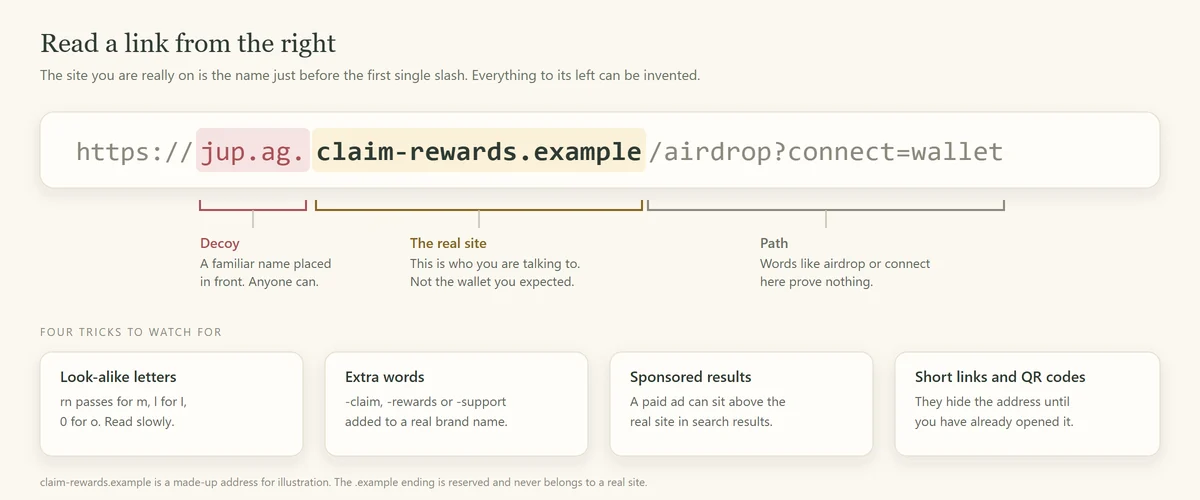
Anyone can send tokens and NFTs to your Solana address. Unexpected ones, especially with names like "Claim reward at" followed by a web address, are bait for a phishing site. Jupiter warns that some unknown tokens are designed to drain your wallet when you approve a transaction.
- Don't visit the address in the token's name or image.
- Don't try to sell or swap it through an unfamiliar site.
- Hide it in your wallet app. If you burn it, do that from inside your own wallet only.
Our guide on how to spot a crypto phishing link covers what those sites do.
Address poisoning: the copy-paste trap
Wallet addresses are long, so most people check only the first and last few characters. Address poisoning exploits that habit: scammers create an address that closely resembles one in your history and hope you copy theirs. Phantom's advice is short: never copy and paste an address from your transaction history.
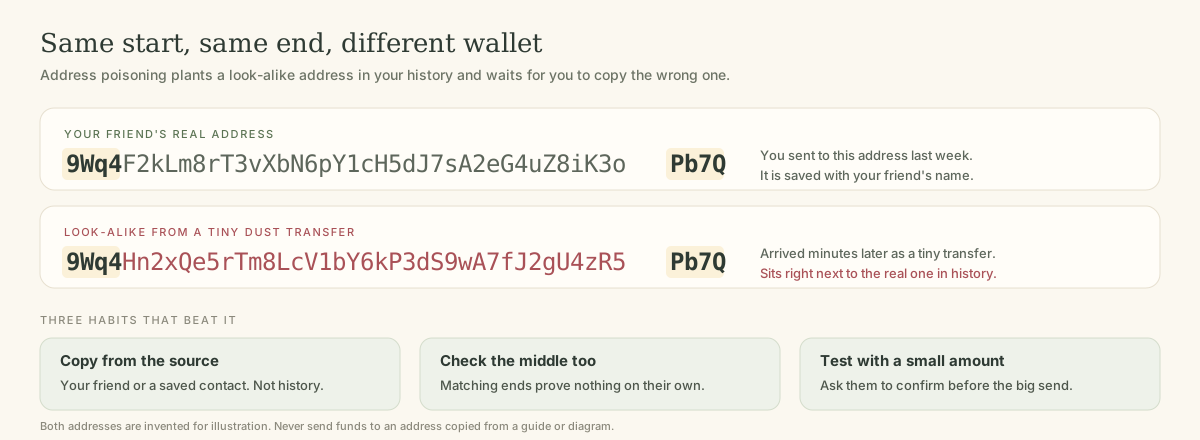
Here's how it usually works:
- You send funds to someone, say a friend or an exchange deposit address.
- A scammer sees the transfer. Blockchain activity is public.
- They generate a look-alike address that shares the same first and last characters as the real one. Software can do this quickly.
- They send you a tiny transfer, or a worthless token, from the look-alike. Now it sits in your history right next to the real one.
- Next time, you copy the address from your history. If you grab the look-alike, your funds go to the scammer, and the transfer can't be reversed.
Habits that beat address poisoning
- Use your wallet's address book for people you send to often, and label each entry.
- Copy from the source, not from history, explorer pages or old screenshots.
- Check the middle, not only the ends. Read a chunk from the middle aloud with the recipient if the amount matters.
- Send a small test first for anything large, and wait for the recipient to confirm it arrived.
- Ignore tiny unexpected transfers. They aren't gifts. They're usually the setup for this trick.
- Scan a QR code from the recipient's own screen when you're together. It removes typing and copying.
Before you gift any token
Sending a token as a present means you're checking for two people. Run through this list:
Pre-gift token check
- Confirm the mint
from the official source and save it.
- Check its settings
in an explorer: mint authority, freeze authority and any extensions.
- Confirm the recipient's address
directly with them, or use a claim link sent privately.
- Send a modest amount.
It's a gift, not an investment tip.
- Tell them it's coming,
so they can tell your gift from a fake.
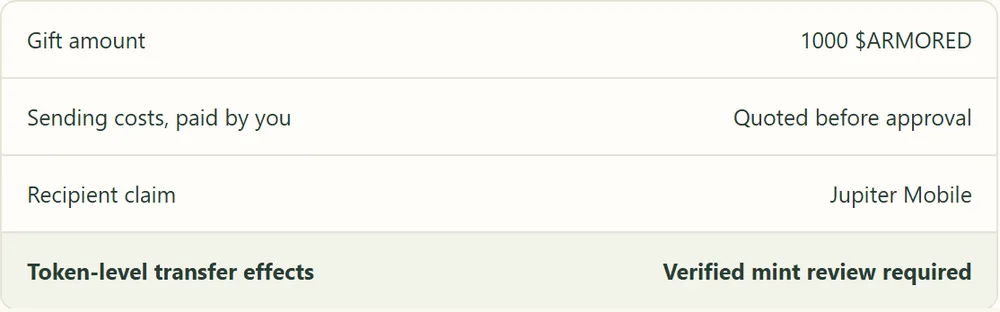
With Armored Kitten, the second and third steps are handled differently: the mint is fixed to $ARMORED, and the recipient claims the gift in the Jupiter Mobile app, so nobody has to paste a wallet address. Armored Kitten is not affiliated with Jupiter. Our guide on how to gift Solana tokens covers direct transfers and claim links in more depth, and is gifting crypto safe? covers gift-shaped scams.
Frequently asked questions
How do I know if a Solana token is fake?
Compare its mint address with the one published on the project's official website or verified account. If they don't match exactly, it's a different token, whatever its name and logo say.
Can two tokens have the same name on Solana?
Yes. Names, tickers and logos can be copied freely. The mint address is unique to each token.
What is a freeze authority?
It's a setting that lets a chosen account freeze holders' token accounts, stopping transfers. If it hasn't been revoked, the token's creator or whoever holds that authority can use it.
What should I do with a token I didn't buy?
Leave it alone or hide it in your wallet. Don't visit any web address in its name or try to sell it through an unfamiliar site.
I sent crypto to a poisoned address. Can I get it back?
Usually not, because blockchain transfers are final. Report it to the platform you used and to your national fraud service, and keep the transaction signature. Be wary of anyone who offers to recover it for a fee.
The address is the identity
Names can lie, logos can lie and the first four characters can lie. The full mint address and a wallet address copied from the source don't. Build those two checks into every swap and every gift, and two of crypto's quietest scams stop working on you. For everything else, start with our field guide to crypto scams for beginners.
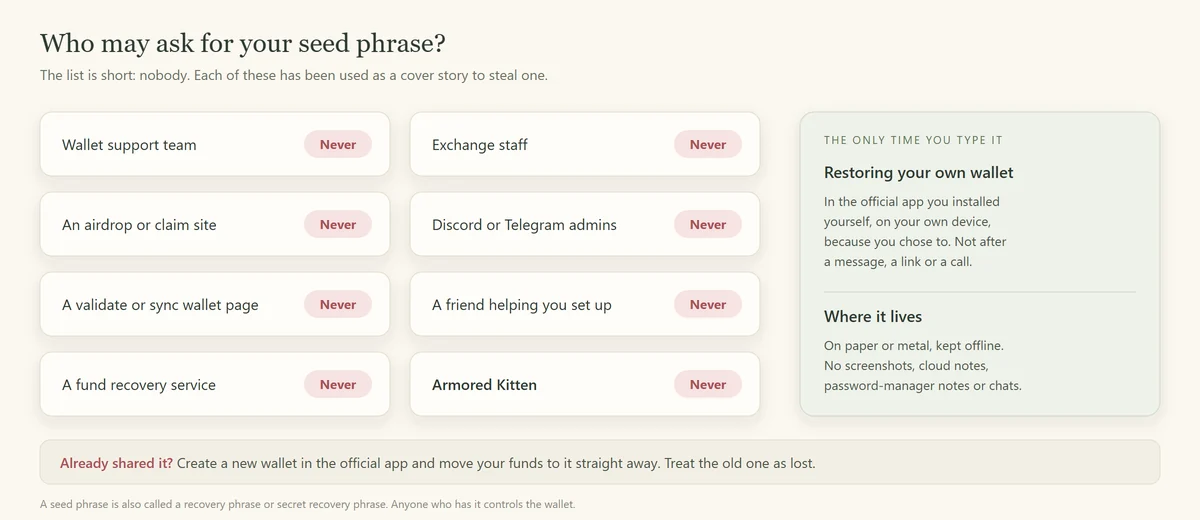
Plain-language disclaimer: this guide is general safety information, not financial or investment advice. Token settings can change if authorities are not revoked, so check them yourself. Crypto can lose value, and transfers are usually final. Armored Kitten never asks for your seed phrase.
Armored Kitten is an independent greeting studio and is not affiliated with or endorsed by Jupiter. Token gifts are optional, can change in value, and are not investment advice. Check the rules that apply where you live.