Armored Kitten Plus
Get Plus with
Telegram Stars.
Plus unlocks AI assistance, Fitness, Money tracking, Mood & Support, Reading and more for 770 ⭐ every 30 days, paid inside Telegram. No crypto wallet and no card details shared with us.
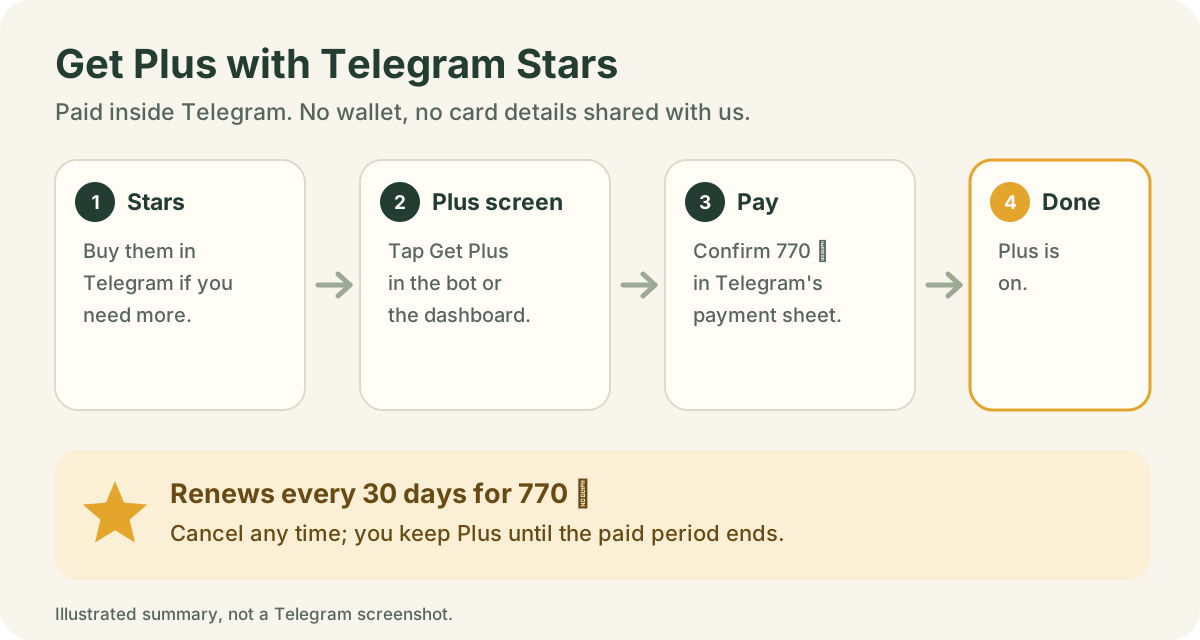
Five short steps: get Stars, open the Plus screen, pay in Telegram, check it’s on, and know how to cancel.
- Paid in TelegramStars come from your Telegram balance; we never see card details.
- 770 ⭐ every 30 daysRenews automatically from your Stars balance.
- Cancel any timeKeep Plus until the end of the period you paid for.
Step 1
Get Telegram Stars (skip this if you already have enough)
Plus costs 770 ⭐ every 30 days. Stars are Telegram’s own in-app currency for paying bots and Mini Apps. If your balance is already 770 ⭐ or more, go to Step 2.
- In Telegram, open Settings → My Stars.
- Tap Buy Stars.
- Choose a package of at least 770 ⭐. The price is shown in your own currency.
- Pay with your App Store or Google Play account, the same way you buy any app item.
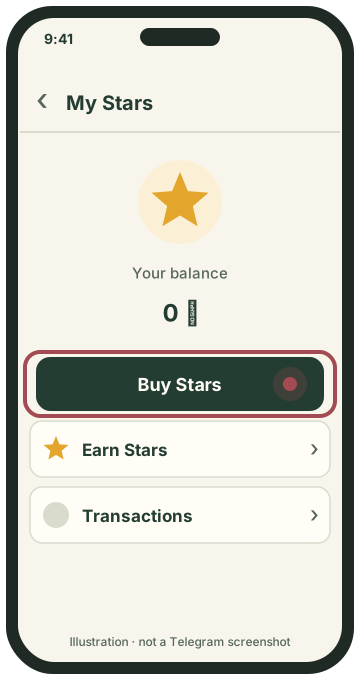
Settings → My Stars → Buy Stars.
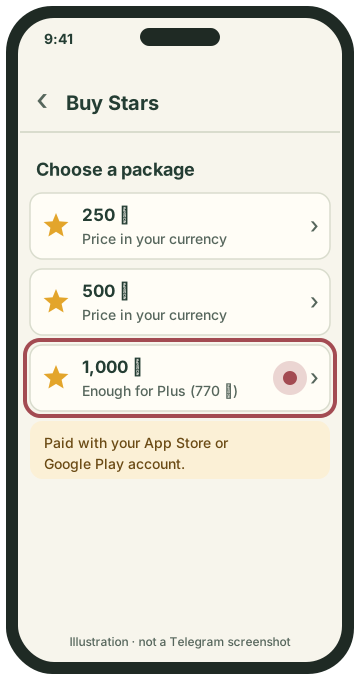
Pick a package of at least 770 ⭐.
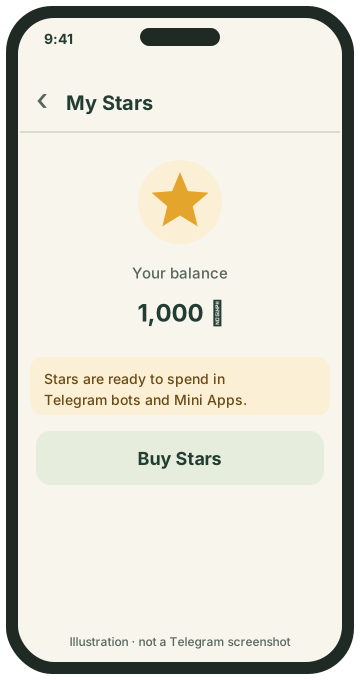
Your Stars are added right away.
Other ways and good to know
You can also buy Stars through Telegram’s official @PremiumBot ↗. Telegram and your app store set the price in your currency, so the local cost can vary. In some regions Telegram limits buying Stars. You don’t have to buy first: if you are short at checkout, Telegram offers to buy the missing Stars (Step 3).
Step 2
Open your Plus screen
Open @armoredkitten_bot and tap ⭐ Get Plus when the bot offers it, or tap Open my dashboard → More → Plus membership. The Plus screen shows the price, what Plus unlocks and the Continue with 770 Stars button.
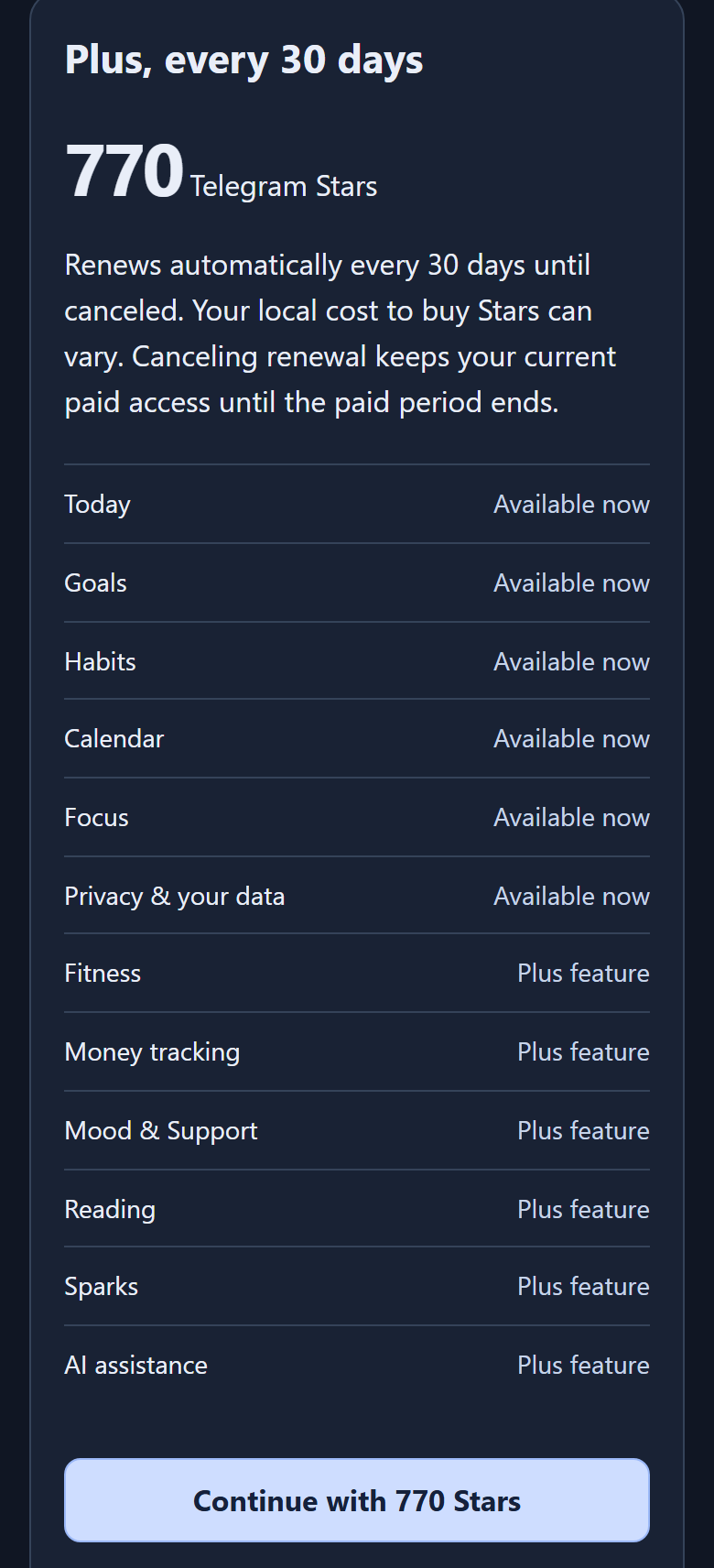
“Plus feature” rows are unlocked by Plus; “Available now” rows stay free. If the screen asks you to accept the Plus terms first, read them and accept to continue.
Step 3
Pay with Stars in Telegram
- Tap Continue with 770 Stars, then Open invoice in Telegram.
- Telegram opens its own payment sheet for Armored Kitten Plus, renewing every 30 days.
- Check the price and tap the pay button. The Stars come from your Telegram balance; no card or wallet details are shared with us.
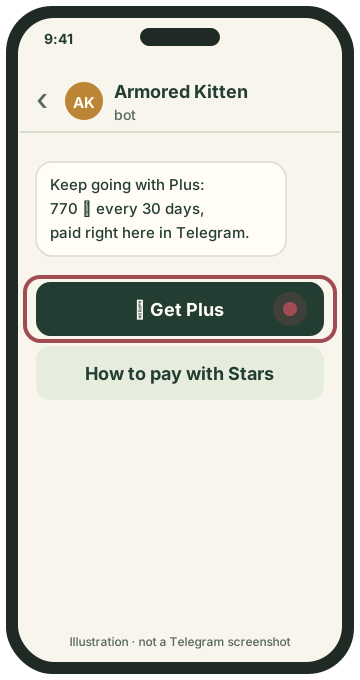
Tap ⭐ Get Plus in the bot.
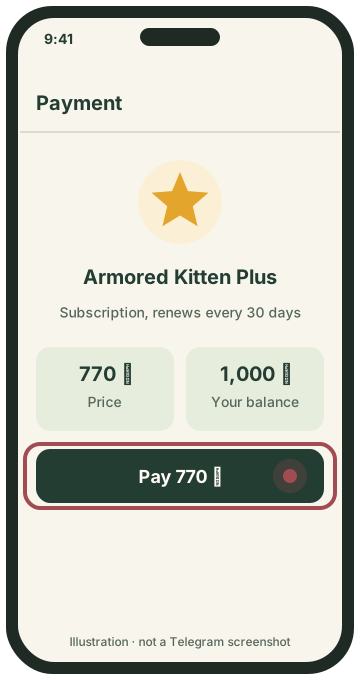
Confirm 770 ⭐ in Telegram.
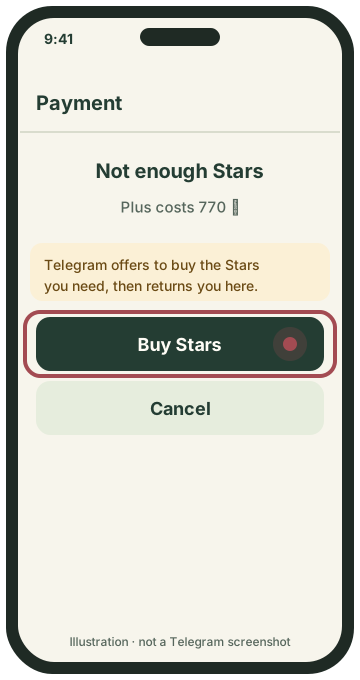
Short on Stars? Buy them right there.
Step 4
Check that Plus is on
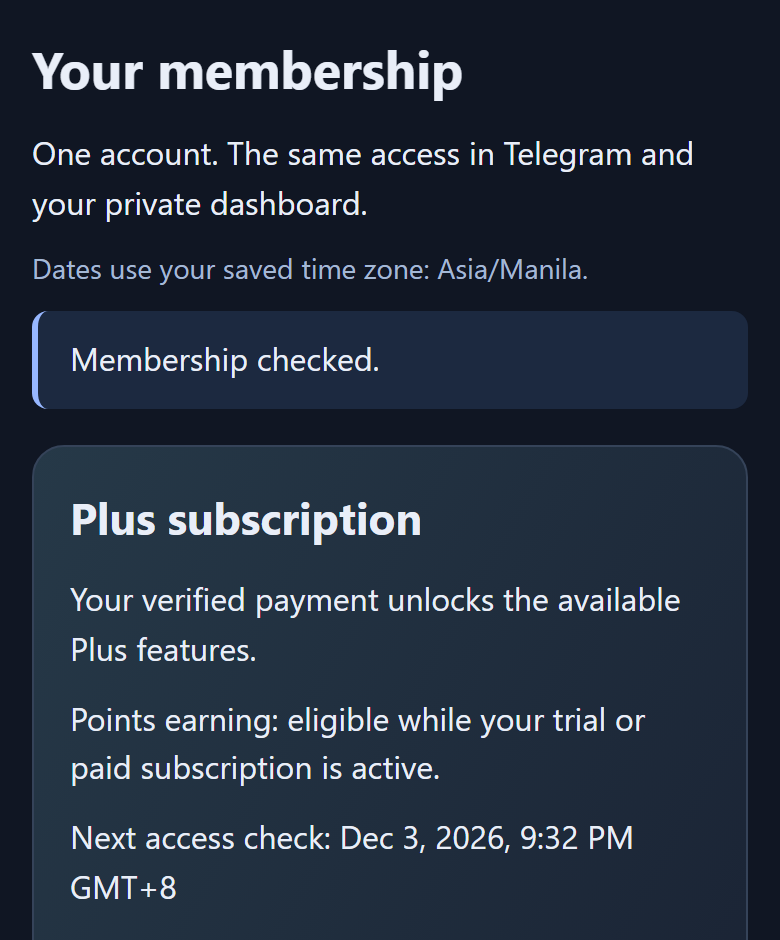
Back on the Plus screen, the status changes to Plus subscription once Armored Kitten verifies the payment, usually within moments. If it still shows Free, tap Refresh membership. Opening an invoice alone never counts as a payment.
Step 5
Renewal, cancelling and your Stars balance
- Automatic renewal: Plus renews every 30 days for 770 ⭐ from your Stars balance. Keep enough Stars before the renewal date; Telegram reminds you when your balance is too low.
- Cancel any time on the Plus screen: Manage renewal → Cancel automatic renewal → Confirm cancellation. You keep Plus until the end of the period you paid for. Cancelling does not refund an earlier payment.
- You can also see and cancel it in Telegram under your My Stars subscriptions.
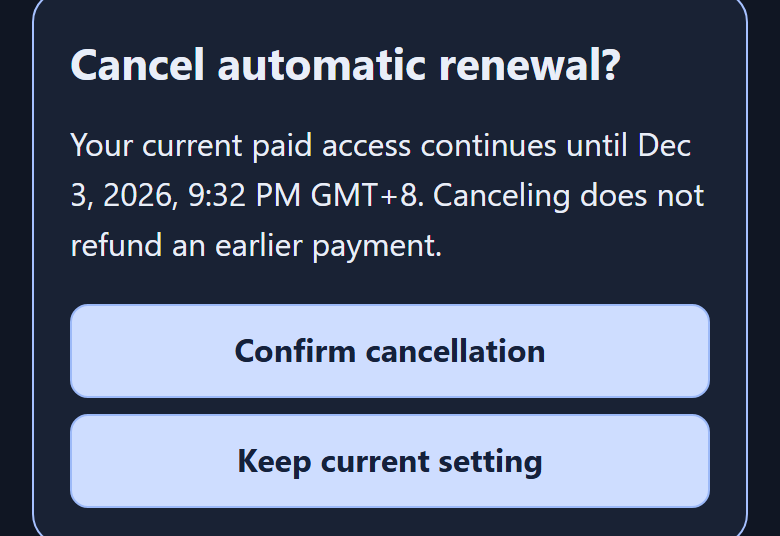
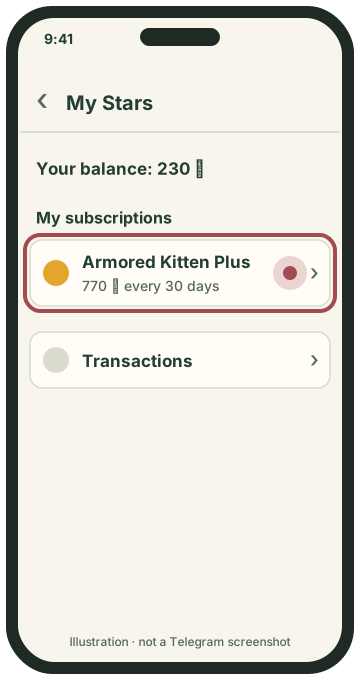
My Stars lists your subscriptions.
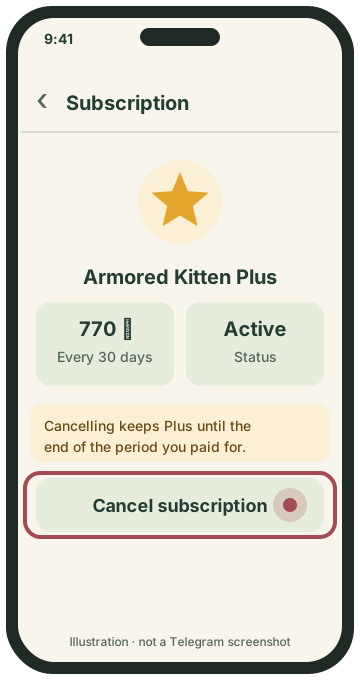
Open it to see renewal details or cancel.
Questions
Do I need a crypto wallet?
No. Plus is paid with Telegram Stars inside Telegram. A wallet is only for people who already hold $ARMORED and use the companion as holders.
Can I pay by card instead?
Where the Plus screen offers it, you can also pay by card through Tribute, using this same Telegram account. Stars remain the simplest way for most people.
How much are 770 Stars in my money?
Telegram and your app store set the price of Stars in your currency, so it varies by country and package. Check the price on the Buy Stars screen before you pay.
What if I don’t have enough Stars when I pay?
Telegram offers to buy the missing Stars during checkout, then returns you to the payment.
Will it renew automatically?
Yes, every 30 days for 770 ⭐ from your Stars balance, until you cancel. Telegram reminds you if your balance is too low before a renewal.
How do I cancel? Do I lose Plus right away?
Open the Plus screen, then Manage renewal → Cancel automatic renewal → Confirm cancellation, or cancel it under My Stars in Telegram. You keep Plus until the end of the period you already paid for.
Can I get a refund?
Cancelling does not refund an earlier payment. For a payment problem, use the Payment support link on the Plus screen and read the Terms for the refund policy.
I paid but the screen still says Free.
Tap Refresh membership on the Plus screen. Access switches on after Armored Kitten verifies the payment with Telegram. If it still hasn’t changed after a few minutes, contact Payment support from the Plus screen.
Ready?
Open the bot and tap ⭐ Get Plus, or Open my dashboard → More → Plus membership.
Official references and image notes
Telegram’s Stars and subscription behaviour was checked on . Menu names and positions may change; if your screen differs, follow the app.
The Plus-screen images are demo screenshots of the real Armored Kitten screen with a fictional account; dates and balances in them are examples. The Telegram screens and diagrams are simplified illustrations made by Armored Kitten, not Telegram screenshots. Telegram is a trademark of its owner; Armored Kitten is not affiliated with or endorsed by Telegram. This page is written in English.