Skip to the guide
Armored KittenSmall knight. Big feelings.

Armored Kitten affiliates · Part 2 of 6

Convince by helping.
Onboard in 5 minutes.

People don’t need another pushy sales pitch—they need someone to show them one calm, practical tool that helps with today’s tasks, habits, workouts or budget.

Friends can use free everyday tools for good; eligible adult accounts may receive a Plus trial when offered, under the current terms shown in the bot. When they choose Plus in their first month, you earn 50% (385 ⭐).

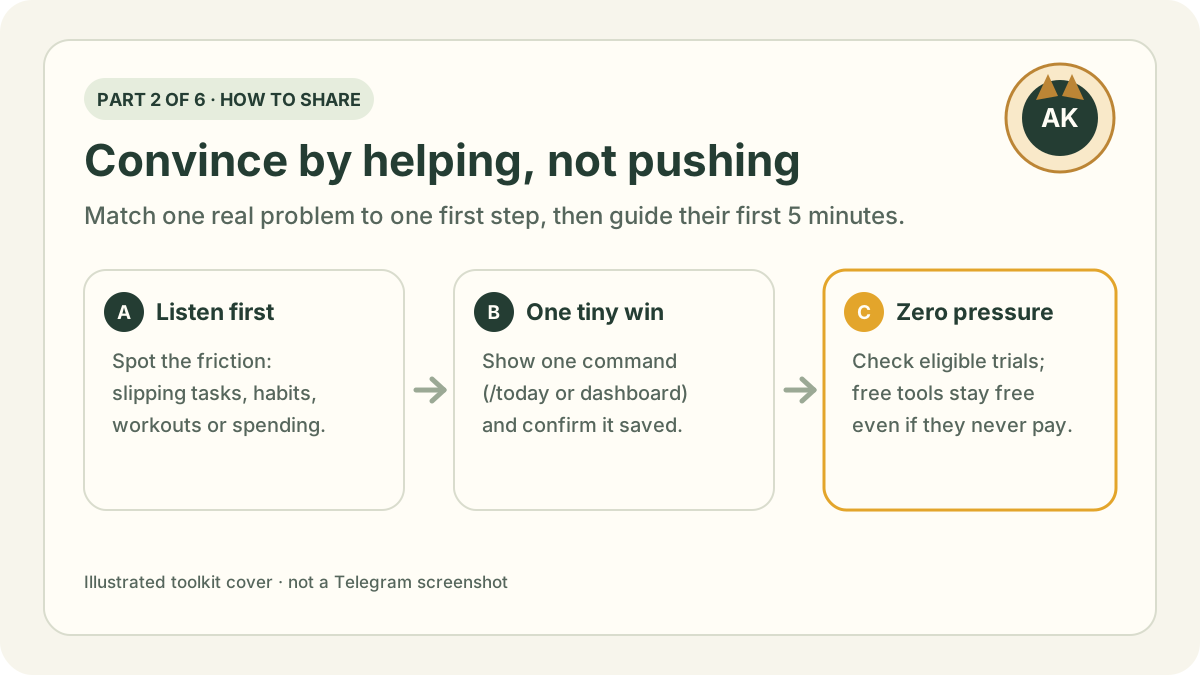
Illustrated card for Part 2: Warm, helpful ways to share Armored Kitten and onboard friends.
Part 2 of 6 · 7 min read
Study guide · Part 2 in 30 secondsRead this first or save for quick review

Memory hook: Don’t pitch twelve features at once—match ONE real everyday friction your friend has today to ONE first action, and walk them through saving it.

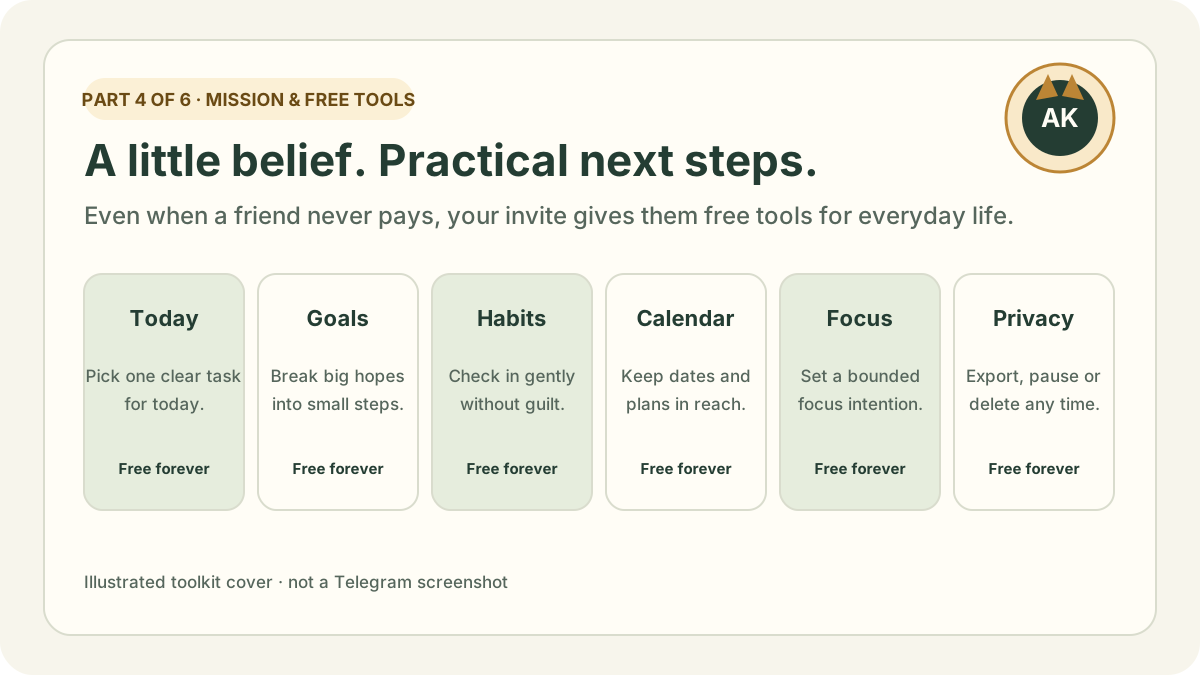
  • Free tools first: eligible adult accounts may receive a Plus trial when offered; check its current length and features in the bot. Regardless of trial eligibility, Today, Goals, Habits, Calendar and Focus stay free for good (see Part 4).
  • Guide their first 5 minutes: help them tap Start, confirm 18+ and time zone, save one task or habit, and open the Mini App dashboard so they see it saved.
  • Always disclose plainly: tell friends that if they choose Plus with Stars in their first month, Telegram sends you 50% (385 ⭐ from 770 ⭐) at no extra cost to them.

2-minute practice: Pick one friend who mentioned feeling disorganised this week, choose one matching row in the diagnostic table below, and adapt the personal DM template in your own voice.

Step 1 · Mindset

Help first, earn second: why your friend wins either way

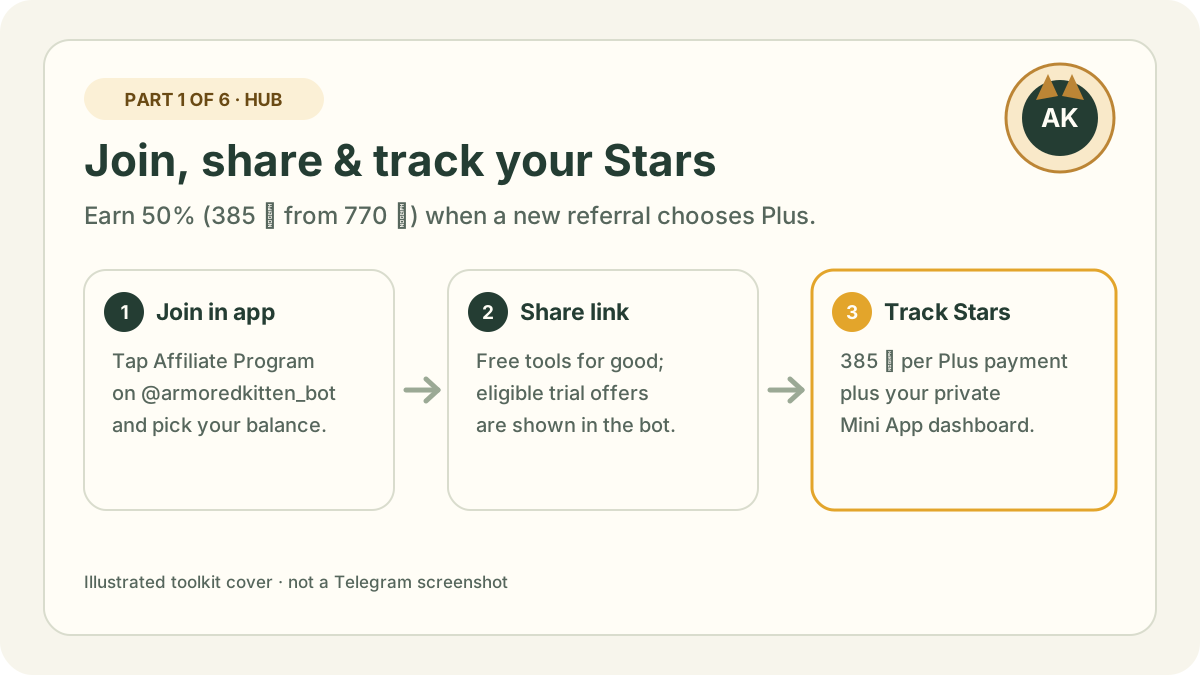
The easiest way to share Armored Kitten is to drop the sales pitch completely. When someone opens your personal referral link from Part 1: Join & earn and starts @armoredkitten_bot for the first time, show them the free tools and explain how any eligible trial offer works before they decide whether to spend a Star:

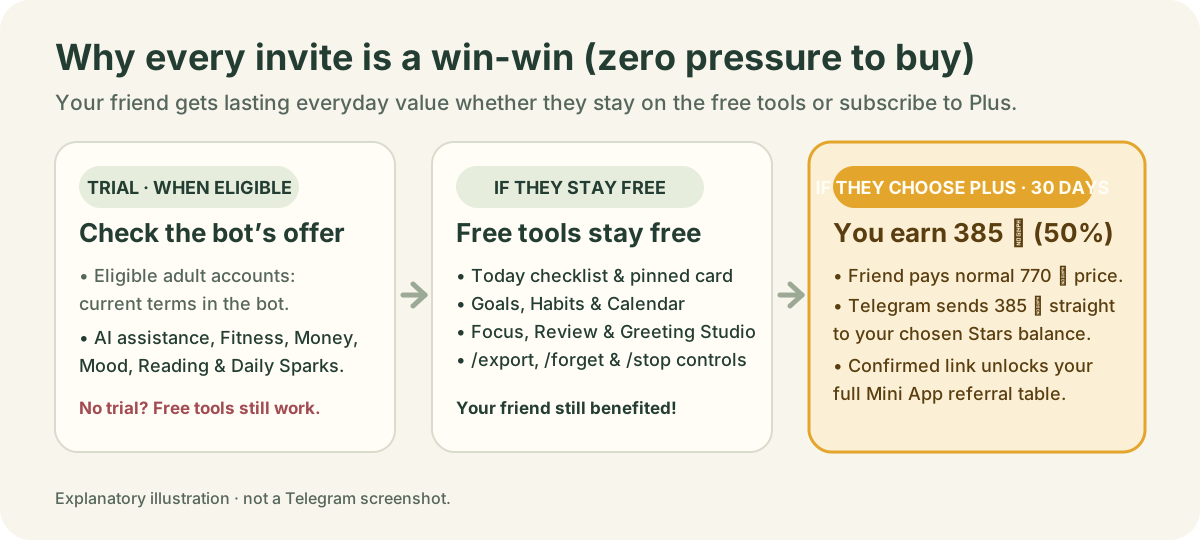
Three-column diagram: an eligible trial follows the current bot terms, free everyday tools remain available without Plus, and a qualifying first-month Plus payment earns 50% in Stars.
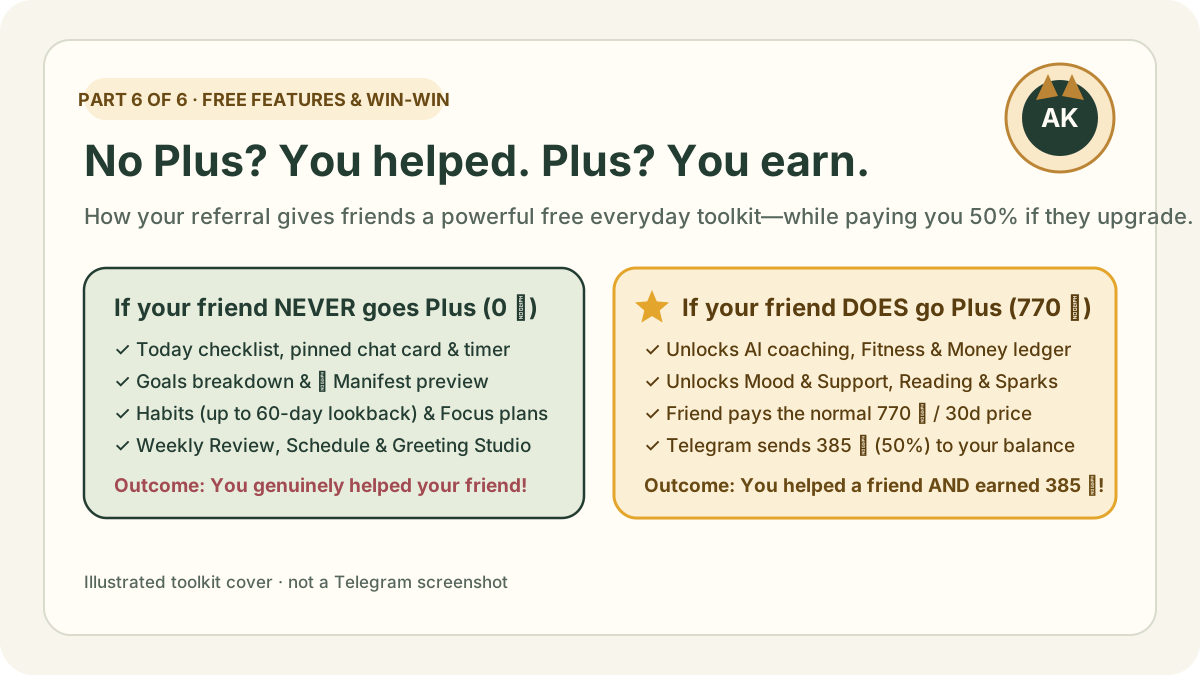
Your friend gets free everyday value whether or not a trial is offered, with no pressure to pay.

That means your recommendation is genuinely helpful on day one and still helpful in month six. If they love the Plus tools and pay 770 ⭐ in their first month, Telegram automatically sends you 50% (385 ⭐).

Study guide: shift from pushy sales language to helpful friend language
Instead of saying (Pushy / vague)Say this instead (Warm, specific & honest)Why it works
“Use my link to sign up for this new AI bot!”“Want to see the Telegram checklist I use to break an avoided task into one 5-minute step?”Focuses on their immediate relief, not your link.
“It has 12 features for tasks, fitness, money and mood!”“Since you mentioned wanting a habit tracker that doesn’t punish rest days, look at how the 7-day strip works here.”Matches one tool to one thing they actually care about.
“You should buy Plus so I get Stars.”“Check whether the bot offers your account a trial of available Plus tools; the daily planner stays free without Plus—if you ever choose Plus, Telegram sends me Stars at no extra cost to you.”Removes all pressure while keeping disclosure transparent.

Step 2 · Onboarding playbook

How to onboard a friend in 5 minutes (in person or over chat)

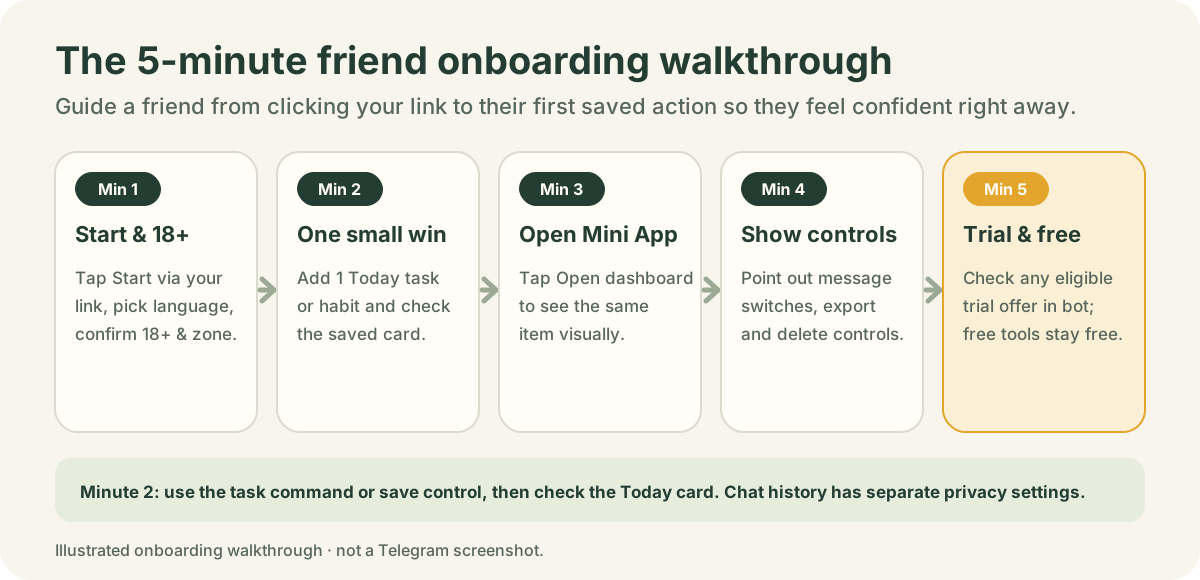
Most people abandon new tools because nobody showed them their first small win. Whether you are sitting beside a friend with their phone or guiding them over Telegram messages, walk them through these five minutes:

Five-step onboarding timeline: Minute 1 Start and 18+, Minute 2 Save one small win, Minute 3 Open Mini App dashboard, Minute 4 Show privacy controls, Minute 5 Check any eligible trial offer and free tools.
The 5-minute onboarding sequence. Illustrated guide, not a Telegram screenshot.
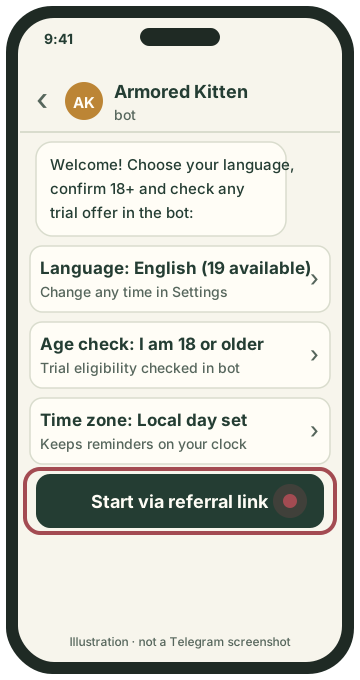
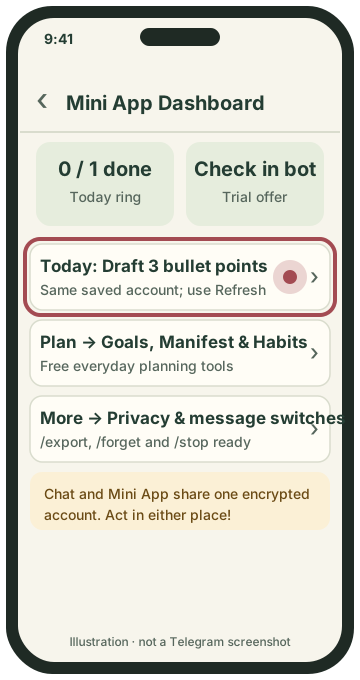
  1. Phone screen showing a friend tapping Start through your referral link and setting language, 18+ and time zone.

    Minute 1: Open your link, tap Start, pick language & confirm 18+.

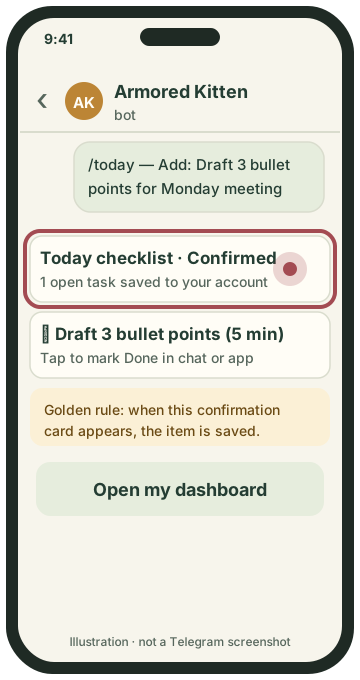
  2. Phone screen showing a friend sending /today and seeing the confirmed Today checklist card.

    Minute 2: Add ONE small task in /today and check the confirmed card.

  3. Phone screen showing the paired Mini App dashboard with the same saved task on Home after opening or refreshing the dashboard.

    Minute 3: Tap Open my dashboard to see the saved task; use Refresh if the dashboard was already open.

Simplified illustrations, not Telegram screenshots. Your app may look a little different.
  1. Minute 1 — Start through your link, pick language & time zone: Make sure they open your _tgr_ link and tap Start at the bottom of the Telegram chat. Have them choose their language (19 Bot languages; the illustrated Mini App previews are in English), confirm they are 18 or older and follow the account setup offered by the bot, and set their local time zone (time-zone guide) so reminders match their day.
  2. Minute 2 — Save ONE tiny item and verify the card: Don’t set up ten goals. Ask: “What is one small thing you want to get done today?” Have them send /today (or tap Plan my day), add that one task, and look at the resulting card. Teach them the golden rule from our companion guide: use the task command or save control, then check the resulting Today card to verify the saved item. Conversation history can still be retained under privacy settings.
  3. Minute 3 — Open the paired Mini App dashboard: Have them tap Open my dashboard. Seeing the exact task they just typed in chat appear inside the visual Home and Today screens is the “aha!” moment—they realise chat and app are one shared companion.
  4. Minute 4 — Show them the pause and privacy switches: Open More (or mention /stop, /export and /forget) so they see they are in complete control of automatic messages and stored data (privacy guide).
  5. Minute 5 — Point out one trial tool & the free safety net: Based on their interests, show them one Plus screen (Fitness, Money, Mood, Reading or Sparks) or Manifest to explore if their account has the required access; check any trial offer and its limits in the bot, and remind them the core planning tools stay free forever.
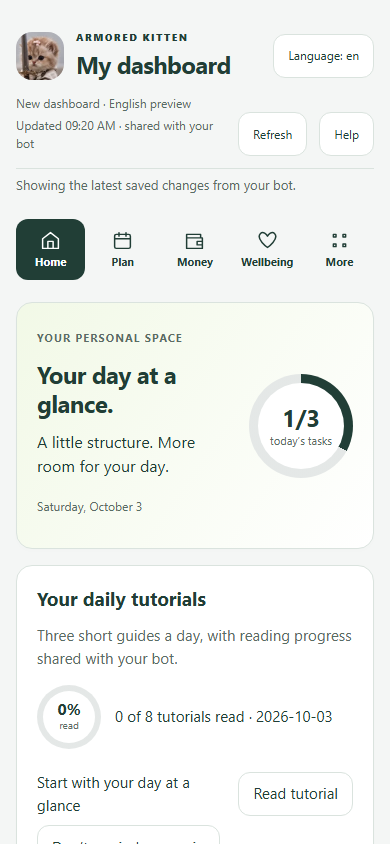
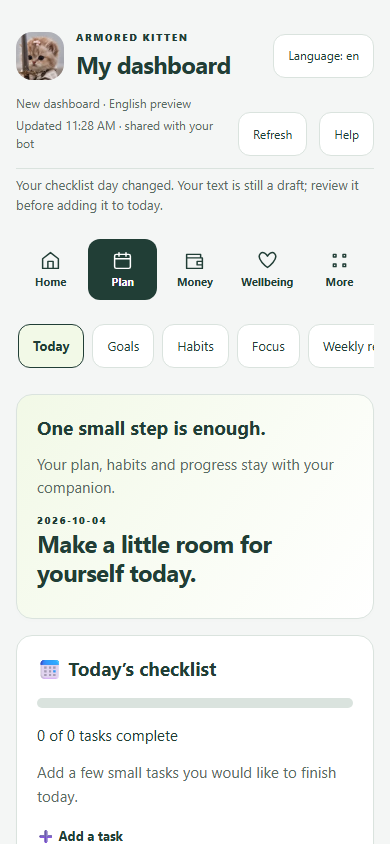
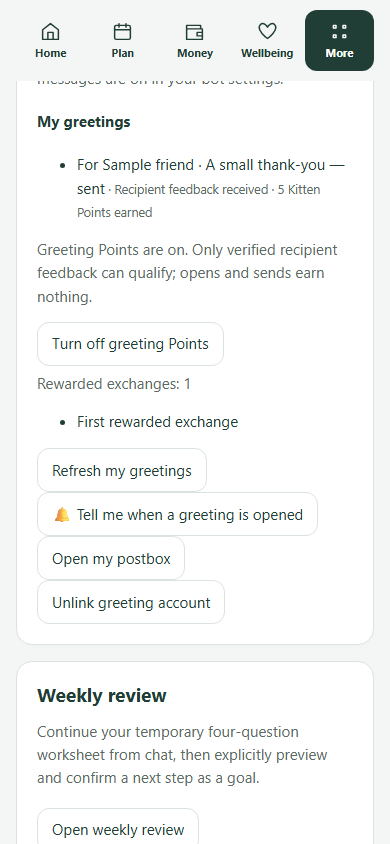
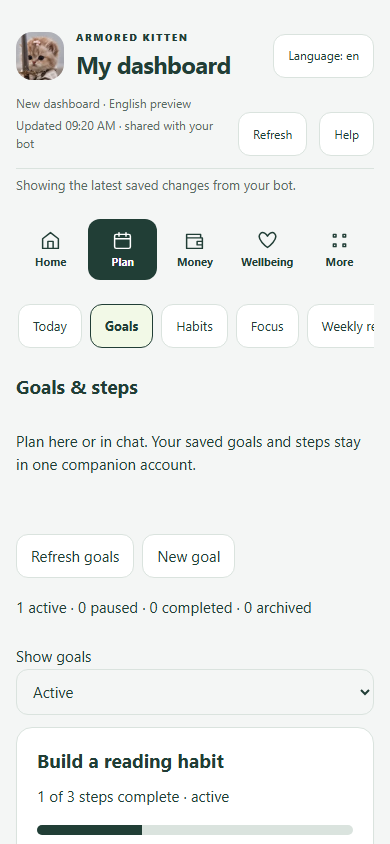
Real sample-account previews of the three screens you show in Minutes 2–4: Home ring, Today checklist and More privacy switches. Tap any phone to open its full step-by-step tutorial. English Mini App previews; the Bot supports 19 languages. These previews do not demonstrate every language.

Step 3 · Diagnostic study table

Match their everyday problem to one first feature & tutorial

Use this study table when someone mentions a frustration in conversation. Pick one row that fits them and send the matching tutorial link:

Situation → First feature to show → Exact first action & tutorial
When your friend says…Show this feature firstFirst action in Minute 2Tutorial to send them
“My to-do list is a mess and I keep putting things off.”Today checklist (Free forever)Send /today, add one 5-minute task, and pin the Today card in chat.Visual Today tutorial · Written guide
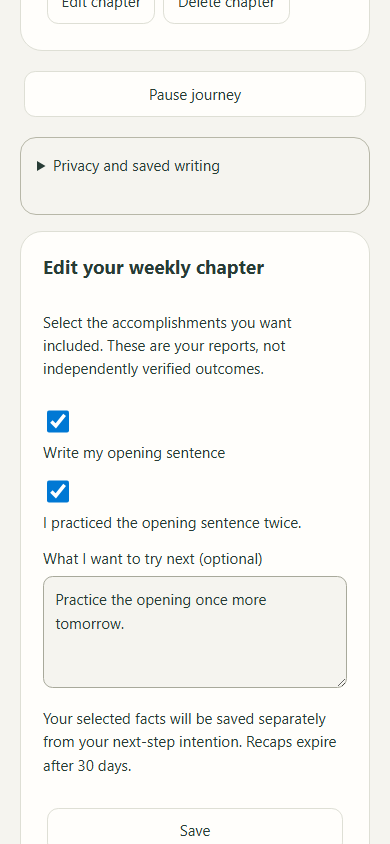
“I have a big dream or goal, but I lose motivation.”Goals + ✨ Manifest (Free Goals · Manifest English preview)Create one goal in Goals, then open Plan → Manifest (or /manifest) to write a short future scene, up to 3 believable affirmations, and confirm Add to Today.Visual Manifest tutorial · Goals guide
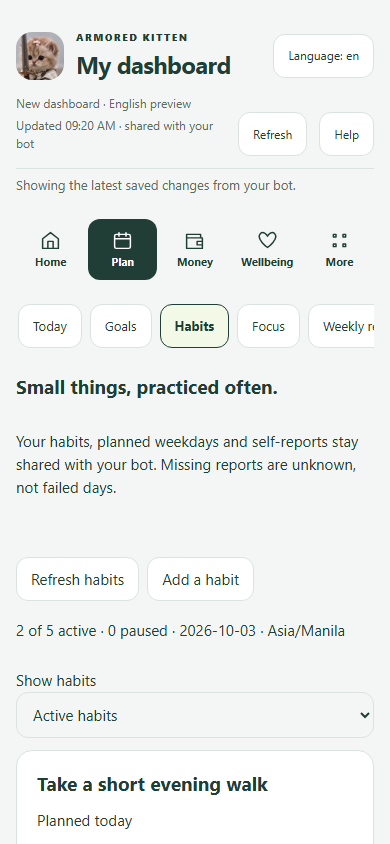
“I quit habit apps whenever I miss a single day.”Habits (Free forever)Send /habit, pick planned weekdays, and show how rest days and unlogged today are skipped in the run. An older unlogged planned day can end it; Unknown is not proof of a missed action, and the lookback is up to 60 days.Visual Habits tutorial · Habits guide
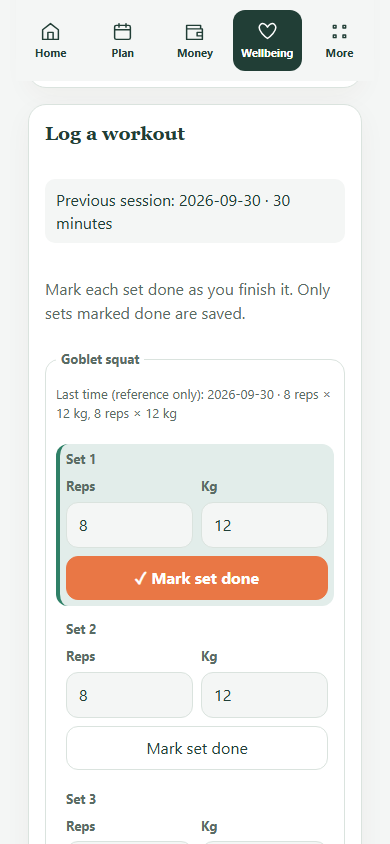
“Logging workouts on my phone takes way too much typing.”Fitness (Eligible trial & Plus; free templates)Open Wellbeing → Fitness, pick a reviewed routine, place training days on the calendar, and tap to log a completed or shorter visit.Visual Fitness tutorial
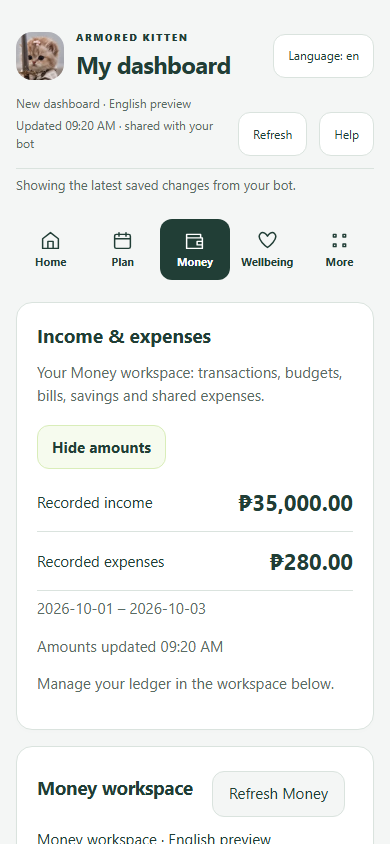
“I never know where my paycheck went by the end of the month.”Money tracking (Eligible trial & Plus)Type “Spent 280 on lunch” in chat or open Money, review the parsed category/currency, and confirm before saving.Visual Money tutorial
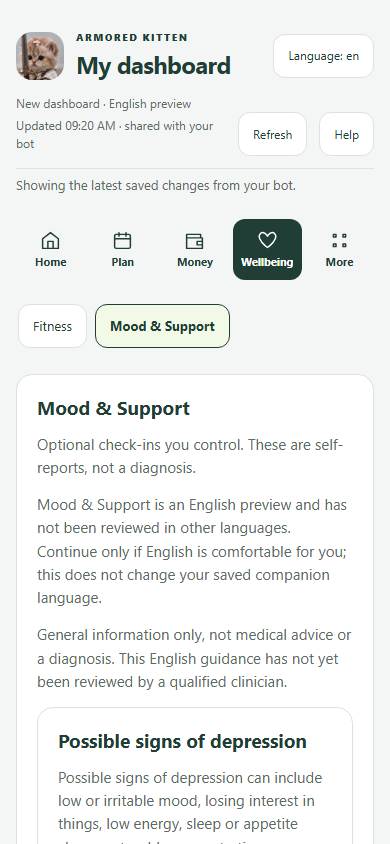
“Today feels heavy and I need a smaller, gentler plan.”Mood & Support (Eligible trial & Plus; crisis links always free)Open Wellbeing → Mood & Support (or difficult-day exercise) to sort what is essential and what can wait.Visual Mood tutorial
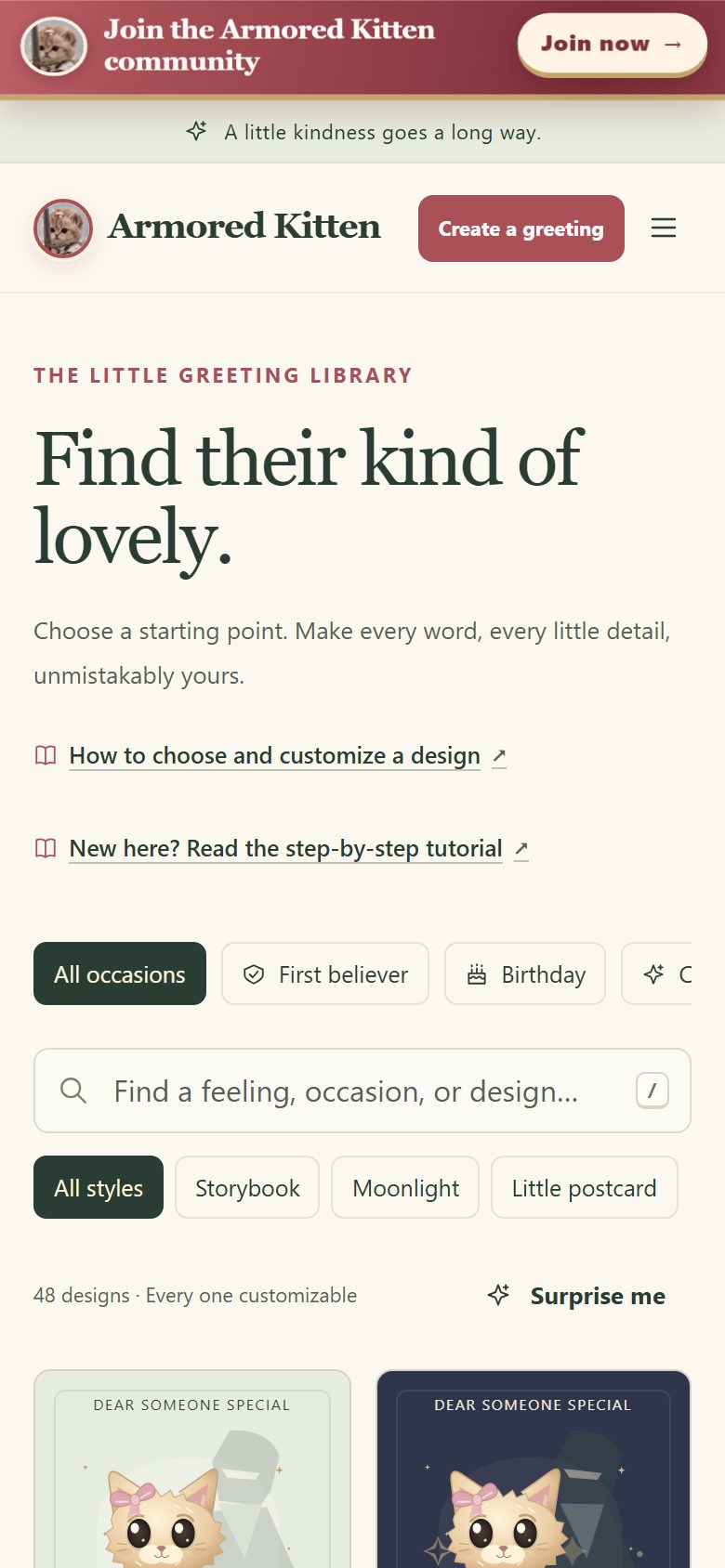
“I want to remember birthdays or send a thoughtful card.”Schedule + Greeting Studio (Free)Save the date in Schedule and tap Make a greeting in More.Schedule tutorial · Greeting Studio guide
Visual previews of four high-interest features you can show a friend during onboarding: Manifest, Habits, Tap-to-Log Fitness and Money tracking. English Mini App previews; the Bot supports 19 languages. These previews do not demonstrate every language.

Step 4 · Word-for-word templates

Six ready-to-adapt messages (plus an honest disclosure line)

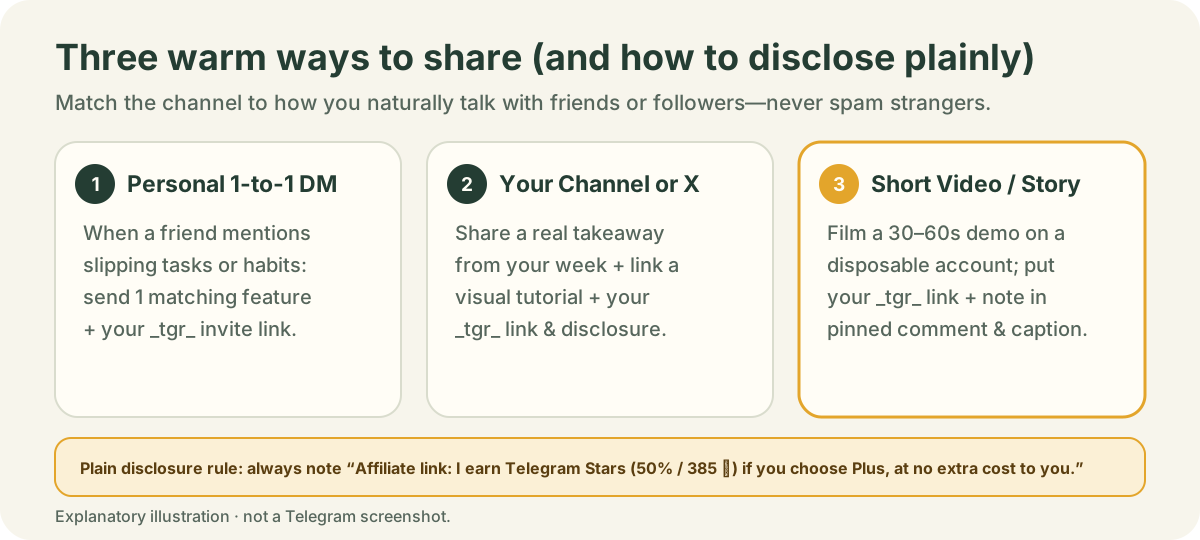
Three-column diagram comparing 1-to-1 Friend DM, Your Telegram Channel or X Post, and Short Video or Story, with the plain affiliate disclosure rule at the bottom.
Where and how to share warmly without spamming.

Put these in your own voice and replace [your _tgr_ link] with the link you copied in Part 1:

Template 1 · Personal DM to a friend

For a friend juggling tasks or habits

“Hey! Since you mentioned wanting a calmer way to keep track of your week, I’ve been using @armoredkitten_bot inside Telegram. The bot shows whether your account is eligible for a trial of available Plus tools (Fitness, Money, Mood, AI), and the daily checklist, goals, habits and calendar stay free even if you never subscribe. Here’s my invite link if you want to try it: [your _tgr_ link] (full disclosure: it’s my referral link, so Telegram sends me Stars if you ever choose Plus).”
Template 2 · Your own Telegram channel or X post

For your community or profile

“Most productivity apps mean installing one more thing to ignore. I’ve been testing Armored Kitten—a private companion right inside Telegram where your chat and visual dashboard share the same Today list, Goals, Manifest scenes, Habits, Fitness and Money tracker. Task and goal changes use clear save controls, and you can manage retained chat and saved data in Privacy & data. The core planning tools stay free whether or not you receive a Plus trial. Try it here: [your _tgr_ link] (affiliate link—I earn Telegram Stars if you subscribe to Plus).”
Template 3 · Short story / status caption

Under a screenshot of your demo or study notes

“Planning today inside Telegram with Armored Kitten 🐱🛡️ One chat + one visual dashboard. Eligible trial when offered; current terms in the bot. Free everyday planner for good: [your _tgr_ link] (referral link)”
Template 4 · When someone asks how to pay with Stars

Helping a friend who wants Plus

“You don’t need a crypto wallet or to share card details with Armored Kitten—Plus is 770 Telegram Stars for 30 days right inside Telegram, and you can cancel renewal any time. Here is the illustrated 5-step guide showing how Stars work: https://armoredkitten.stonkbuilder.com/plus/how-to-pay”
Template 5 · For a gym or walking buddy

Introducing Tap-to-Log Fitness & Habits

“If you hate typing out workouts on your phone at the gym, look at the Fitness screen inside @armoredkitten_bot (https://armoredkitten.stonkbuilder.com/dashboard-tutorial.html#fitness). You pick a routine, put training days on your calendar, and log a completed, shorter or rest day with taps. Check the bot for any eligible trial offer and available Fitness & Plus features; Habits/Today stay free forever: [your _tgr_ link] (my Telegram referral link).”
Template 6 · For a dreamer or journaler

Introducing Goals + ✨ Manifest

“I found a tool inside @armoredkitten_bot called ✨ Manifest (https://armoredkitten.stonkbuilder.com/dashboard-tutorial.html#manifest) that links a short future scene and 3 believable affirmations directly to an active Goal and adds one small action to your Today checklist. Goals & Today stay free for good, and eligible accounts can check the bot for a Plus trial when offered: [your _tgr_ link] (referral link—I earn Stars if you ever get Plus).”

Always include a plain disclosure

Whenever you post or send your affiliate link, include a short, clear line such as: “Affiliate link: if you choose Plus with Telegram Stars, Telegram sends me a commission in Stars at no extra cost to you.” Honest disclosure builds trust and is required in many regions and platforms.

Step 5 · Troubleshooting & ethics

When a friend gets stuck (onboarding rescue guide) & sharing rules

Quick fixes for common first-visit hiccups
What happenedWhy it happenedHow to help them in 30 seconds
They tapped your link, looked at the chat, and closed it without pressing Start.Telegram only sends the referral parameter when the user taps Start (_tgr_).Ask them to reopen your link and tap Start at the bottom of the chat to begin setup.
They typed a task in chat conversation, but it isn’t on their Today list.A conversational suggestion is not itself a saved Today task; chat history may still be retained under privacy settings.Show them how to use /today (or the Today screen in the dashboard) and confirm the save on the card.
They signed up today, but your Mini App dashboard still says “Waiting for confirmation”.Pasted links stay unconfirmed until your first commission proves you own the link.Reassure yourself: once your first Plus commission is paid by Telegram, every referral who started through that link appears.
They worry the bot will message them all day.They haven’t seen the message controls yet.Show them More → automatic messages, topic pauses, and the one-tap Stop button (stop messages guide).

Do

  • Share with friends, study groups or your own channel where a calm planner or companion fits.
  • Walk new users through their first saved item and show them how to pause or delete data.
  • Respect “not for me” or “I’m staying on the free tools” warmly.

Never do

  • Never spam strangers, unrelated groups or comment sections (Telegram can restrict your account).
  • Never pitch to someone in distress or crisis—if someone needs urgent support, direct them to human help, never a referral link.
  • Never claim medical/clinical care, financial advice or guaranteed earnings, and never pose as Armored Kitten staff.

Practice & self-test

Practice flashcards: test your onboarding & objection skills

Read the friend’s question, think of how you would reply, then tap the card to compare.

Card 1“Is this a crypto app? Do I need a wallet or tokens to use it?”Tap to check answer

What to say or do: “No wallet needed at all! You use it right inside Telegram with your normal account. Check the bot for any trial offer your account is eligible for; the core planning tools stay free without Plus, and if you ever want Plus it’s paid with normal Telegram Stars from the App Store or Google Play.”

Why this works: Removes the #1 misconception immediately and points to familiar app-store Stars.

Card 2“I’ve tried five habit and to-do apps and always quit after missing a few days.”Tap to check answer

What to say or do: “A missing report stays unknown, not proof of a missed action. Habits skips rest days and unlogged today; an older unlogged planned day can end the run, which looks back up to 60 days. Let’s add just ONE tiny task in /today right now.”

Why this works: Directly addresses perfectionism guilt and moves to a 60-second win.

Card 3“How private is my data, especially if I log Money or Mood?”Tap to check answer

What to say or do: “Use the command or save control for a supported record; ordinary chat may be retained under your privacy settings. /export queues a JSON.gz document—wait for the actual file and retry if busy or failed. Money CSV is separate. You can hide Home amounts, pause messages with /stop, or start account deletion with /forget.”

Why this works: Builds trust with concrete, verifiable controls rather than vague reassurances.

Card 4“What is the ✨ Manifest feature I saw in the menu?”Tap to check answer

What to say or do: “It’s an English-preview tool under Plan → Manifest (/manifest) where you pick one of your real Goals, write a short imagined future scene and up to 3 believable affirmations, and then pick one small action to add to Today. It connects daydreaming to a real next step.”

Why this works: Explains Manifest accurately without magical promises, highlighting the link to Today.

Card 5“Does using your referral link make Plus more expensive for me?”Tap to check answer

What to say or do: “Not by a single Star. Plus is the normal 770 ⭐ for 30 days. Telegram takes my 50% thank-you share (385 ⭐) out of Armored Kitten’s side.”

Why this works: Reassures your friend that your link never costs them extra.

Card 6“What happens if I try an offered trial and decide not to pay?”Tap to check answer

What to say or do: “Nothing bad—there’s no automatic charge at the end of the free trial. Your account simply stays on the free tools (Today, Goals, Habits, Calendar, Focus and your privacy/export controls) for good.”

Why this works: Separates an eligible trial offer from paid renewal; the bot shows the current trial terms.

Learn every tool · Read next

Feature tutorials & visual walkthroughs (with thumbnails)

Every companion feature already has a step-by-step visual dashboard tutorial (using disposable sample records) and a written guide. Study them or send a specific tutorial link when onboarding a friend.

More tutorials: Full 12-screen Dashboard Tutorial · Complete Telegram Companion Guide · Greeting Studio Tutorial · How to Send a Token Gift · How to Claim a Gift.

Keep reading · Part 2 of 6 complete

Up next in the affiliate toolkit

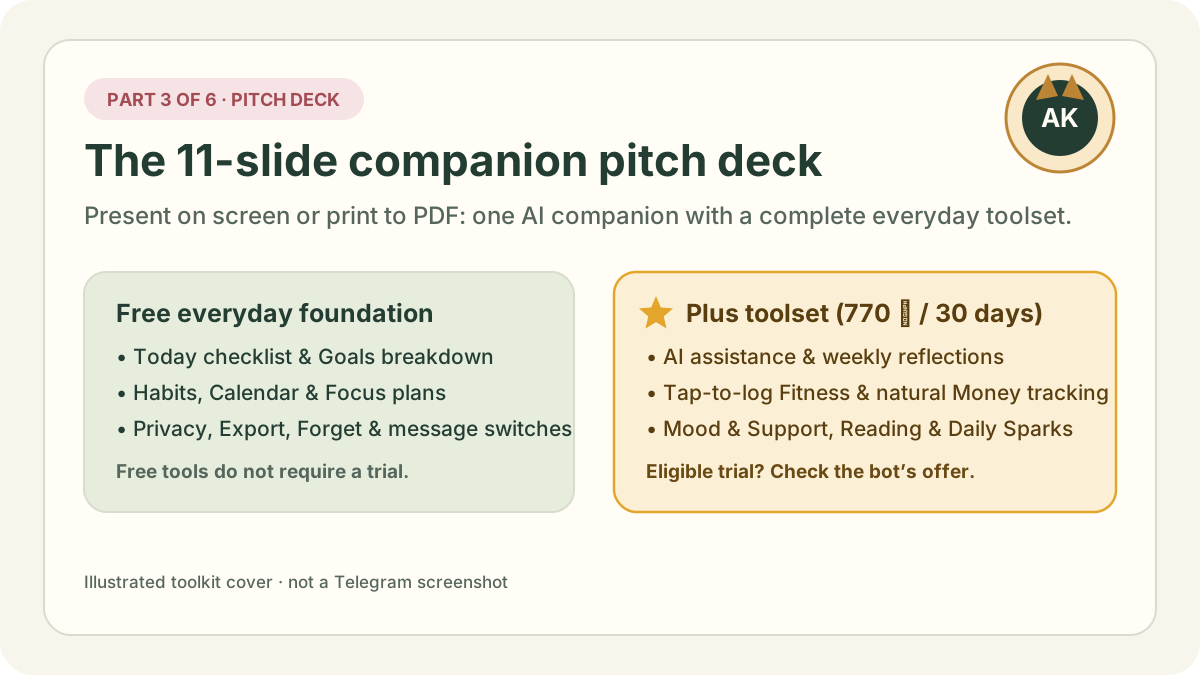
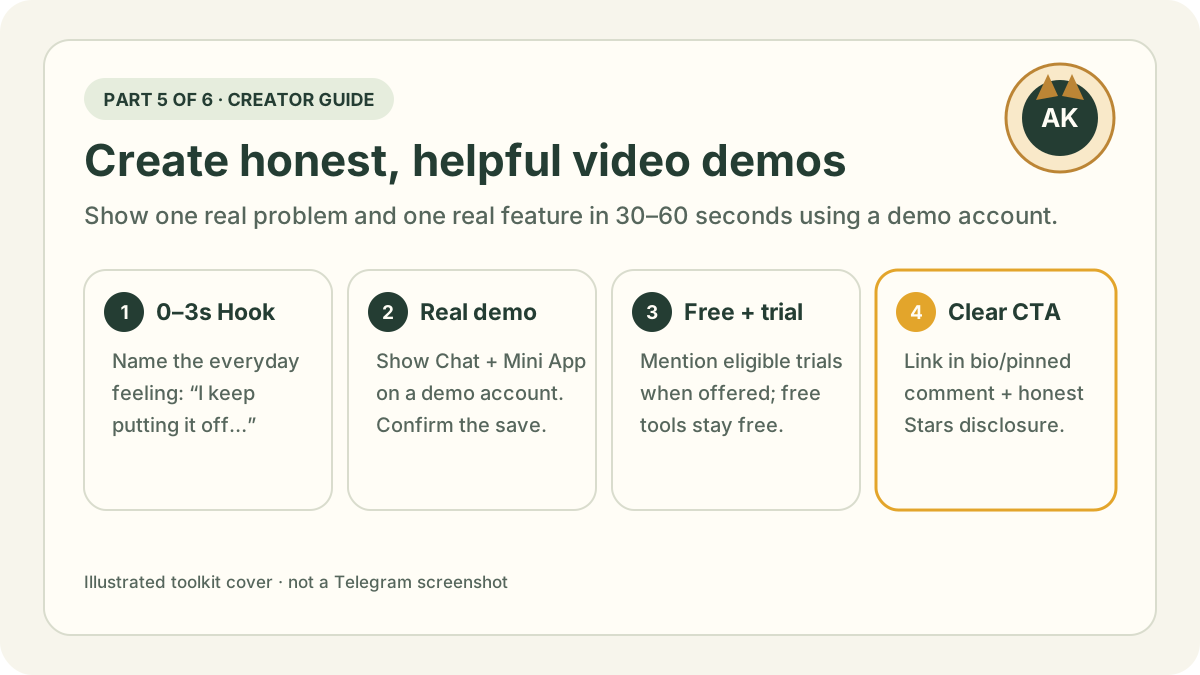
Illustrated card for Part 3: Printable 11-slide pitch deck showing the complete Armored Kitten companion toolset.
Up next · Part 3 of 6 · 7 min read

The Armored Kitten pitch deck: complete AI companion & tools

Eleven printable slides showing the everyday problem, how Chat and the Mini App work together, free vs Plus tools, Manifest, privacy controls and Stars pricing.

Continue to Part 3: Pitch deck →

More from the toolkit

Feature tutorials to read next

Accuracy, privacy and image notes

Product features, Telegram Stars pricing (770 ⭐ for 30 days of Plus) and affiliate terms were checked on . Telegram’s in-app program card is always the final word on live commission rates and durations.

Series thumbnails and diagrams are original illustrations made by Armored Kitten, not Telegram screenshots. Tutorial phone previews use disposable sample accounts and never display real user records, balances or earnings. Telegram is a trademark of its owner; Armored Kitten is not affiliated with or endorsed by Telegram. This page is written in English.