Set the goal as a number of chosen days per week instead of "every day", and decide which days are rest days before the week starts. Put that schedule into your tracker so rest days show as rest, not as gaps. Then hold one rule: a rest day is not a spare slot for catching up. If you miss a planned day, the next planned day is where you pick up again.
Write the goal as days you chose, not every day
An "every day" goal has no room for anything. One late meeting or a day out with friends turns into a miss, and many people quietly abandon a habit after a few of those. A goal built around chosen days already expects the weeks to have other things in them.
Compare these:
| Goal as often written | Goal with planned rest |
|---|---|
| Read every day | Read on Monday, Tuesday, Thursday and Saturday |
| Practise daily | Practise on weekdays; weekends are off |
| Tidy up every evening | Tidy on Sunday, Tuesday and Thursday evenings |
| Walk every day | Walk on any four days this week |
The second column does not ask for less commitment. It asks you to decide in advance where the habit lives, so the other days are rest by design and not by failure.
Fixed rest days or floating rest days
There are two ways to plan rest, and they suit different weeks.
| Fixed rest days | Floating rest days | |
|---|---|---|
| How it works | Same days off every week | A number of days per week; you choose which as you go |
| Suits | Predictable weeks, regular work hours | Shifts, travel, family weeks that change |
| How to track | Schedule only the habit days | Count the days you did it each week |
| Risk | A clash on a fixed day becomes a miss | Leaving every day "for later" until the week runs out |
If your weeks are mostly predictable, fixed rest days are simpler and easier to read in a tracker. If your weeks change a lot, a weekly count with floating rest is more realistic. In that case, it helps to pencil in your likely days at the start of each week, even if you move them.
A goal statement you can copy
Habit:            ______________________________
I will do it on:  ______________________________
  (named days, or "any ___ days this week")
My rest days are: ______________________________
  (named days, or "the others")
If I miss a planned day:
  I pick up on the next planned day.
  I do not move it onto a rest day.
I will review this schedule on: ________________
The two lines under "If I miss a planned day" are the part most goal templates leave out. Without them, rest days tend to fill up with make-up sessions, and the goal quietly turns back into "every day".
Build the goal in five steps
- Name the action
clearly enough to know when it is done.
- Choose the days
it will happen, or the number per week.
- Mark the rest days
so they are visible in your plan.
- Decide what an unknown day means:
not recorded, rather than a guess.
- Set a review point
to check whether the schedule still fits your life.
Setting it up in the browser habit tracker
The free habit tracker is built for fixed schedules. When you make a tracker, you pick the scheduled weekdays. Days you leave unscheduled appear as rest, and future dates appear as later, so neither looks like a miss. On scheduled days, each tap cycles through not recorded, done and missed.
Two details are worth knowing before you start:
- All habits in one tracker share the same weekday schedule. It holds up to five habits. If one habit runs on weekdays and another on weekends, make a separate tracker for each schedule.
- Floating rest days do not have their own state. If you use a weekly count, schedule all seven days, mark the days you did it as done, and leave your chosen rest days as not recorded. Judge the week by the done count, not the percentage, because the percentage only counts recorded sessions.
The guide on what a missing habit entry means explains how to read rest days, blanks and misses side by side.
If you use the Armored Kitten companion on Telegram, the habit check-in guide describes Done, Not today and no entry. It does not describe a separate rest state. On a planned rest day, simply do not report, and keep your rest days written down in your goal statement so you can tell them apart from forgotten days later.
Example: Daniel's every-day goal that kept breaking
An illustrative example (the person is made up): Daniel set two habits in a tracker: "Sketch for a few minutes" and "Walk to the park", both every day. By the end of the second week, the tracker had more misses than ticks, and he felt he was failing at both.
When he looked at the misses, most fell on Wednesday and Friday, when he worked late, and on Sundays, when he visited family. He rewrote the goal: sketch and walk on Monday, Tuesday, Thursday and Saturday, with Wednesday, Friday and Sunday as rest days. He made a new tracker with those four weekdays.
The next fortnight looked very different. Rest days showed as rest, and the misses that remained were real ones with obvious reasons. What he changed after trying it: the walk worked better on Sunday with family than on Saturday, but sketching did not. Because one tracker shares a single schedule, he split them into two trackers, one for each habit's days.
When a rest day keeps turning into a make-up day
This is the most common way a rest-day plan falls apart. You miss Tuesday, so you do it on Wednesday, your rest day. Then you are tired on Thursday, miss that, and use Friday. Soon there are no rest days at all.
- If you miss a planned day, let it stay missed and pick up on the next planned day.
- If you find yourself using a rest day most weeks, the planned days are probably wrong. Move one of them to the day you keep using.
- If you genuinely want to do it on a rest day, that is fine as an extra. Record it, but do not let it become an obligation for next week.
- If the misses all cluster on one day, that day is not a good habit day. Make it a rest day instead.
When the rest is for your body
If the habit is physical, such as training, running or a sport, how many rest days you need and when is a question about your body and your activity. A tracker cannot answer it. Ask a qualified coach, physiotherapist or doctor, particularly if you are returning after illness or injury, are pregnant, or have a health condition. Then set the tracker to match the plan they give you, not the other way round.
The guide on tracking gym attendance without chasing a perfect streak covers recording visits once you know what your plan is.
Plan rest as part of the habit
Armored Kitten's idea is one manageable step at a time, and planned rest is part of that: a habit with room to breathe is one you can keep through ordinary weeks. The habits and goals path has more on choosing and keeping habits. If you want to revise the habit itself, build a small routine helps you choose a repeatable action and a place for it.
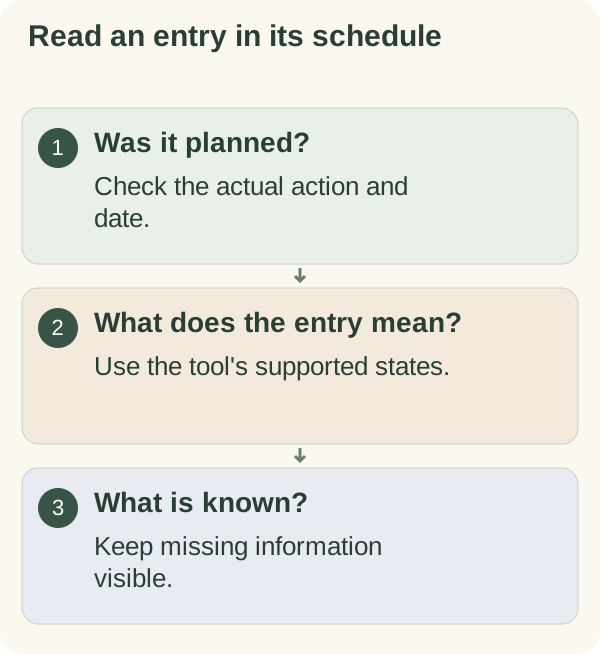
Use the "Interpret a blank entry" card in the Restart and review workbook to check the schedule and what an entry means before reading anything into a total.
Questions people often ask
How many rest days should my habit have? For non-physical habits, as many as your week needs for the habit to fit. Start with fewer planned days than you think you can manage and add one later if it goes well. For physical activity, ask a qualified professional.
Does a rest day break a streak? In a tracker that separates rest from scheduled days, no. In the browser tracker, unscheduled days show as rest and are not counted as missed.
Can I swap a rest day for a planned day in a busy week? Yes, if you decide before the week starts. Swapping after a miss is what turns rest days into catch-up days.
What if my schedule is different every week? Use a weekly count with floating rest days, and pencil in likely days at the start of each week.