Move one stalled item
- Step 1Name the blocker
- Step 2Choose its next action
- Step 3Set a review point if needed
Life-admin tasks usually slip for one of four reasons: you are missing a piece of information, the only way to do it is during office hours, you are waiting for someone else, or the first step is unclear. Put every task on one list, label each one with what is blocking it, and give it a single next action that suits that label. A task you are waiting on needs a follow-up date, not another attempt to finish it.
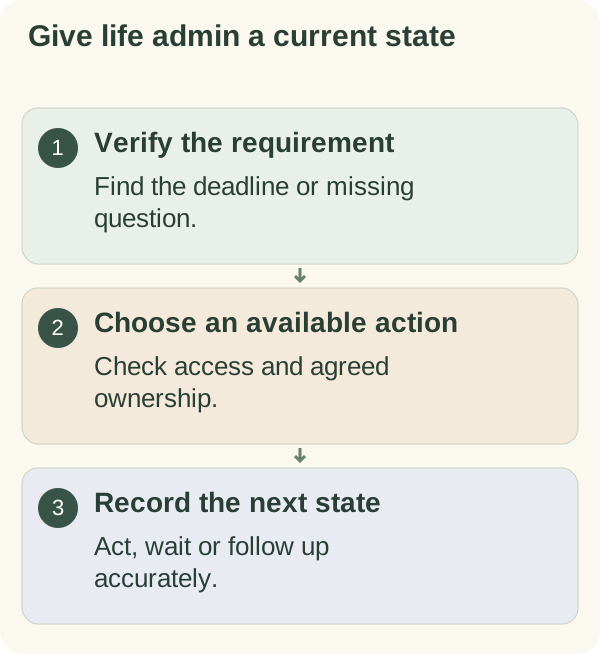
Admin is where small steps help most, because each step is short and it is the pile that makes it heavy. That is the thread running through Plan your days, applied here to letters, forms and phone calls.
This page is about organising tasks. It does not tell you what a letter means for your money, tax, housing or legal position; for that, go to the organisation or a qualified adviser.
Why the same tasks sit on the list for weeks
Most admin lists are a column of nouns: "council tax", "passport", "landlord", "parcel". Every time you read a noun, your brain has to work out what to do about it, which is tiring, so you skip it. The next day it looks exactly the same, and you skip it again.
Underneath, each slipping task is stuck for a specific reason:
- Missing information. You need a reference number, a form, or to know which document they want.
- Office hours. It can only be done by phone or in person, during hours when you are at work.
- Waiting. You have already sent something and the next move is theirs, but it still sits on your list.
- Unclear first step. You know the outcome you want, not the action that starts it.
Once you name the blocker, the next action usually becomes obvious.
Rewrite a slipping admin list
- Gather every task into one list.
Letters on the fridge, emails you flagged, notes on your phone.
- Label each with its blocker.
Ready, Needs info, Office hours or Waiting.
- Write one next action per task.
Start it with a verb: find, call, print, send, chase.
- Add confirmed deadlines only.
Mark any date you have not checked with a question mark.
- Move Waiting items to the bottom.
Give each one a chase date.
The five states
| State | What it means | What the next action looks like | When to look at it |
|---|---|---|---|
| Ready | You have everything you need | Do it in a slot that fits; many take minutes | Your next admin slot |
| Needs info | One fact, form or answer is missing | Find or ask for that one thing | Any spare few minutes |
| Office hours | Only possible by phone or visit during set hours | Book a specific lunch break or day off for it | On that day |
| Waiting | You have sent or asked; the next move is theirs | Write the date you will chase | On that date only |
| Done | The organisation has confirmed it | Keep the confirmation where you keep records | Never again |
"Sent" is not "Done". A form submitted online is Waiting until you have a confirmation, an acceptance or the thing you asked for.
The checklist, filled in and blank
Here is how a few fictional entries look once they have states and verbs:
| Task | State | Next action | Deadline | Follow up on |
|---|---|---|---|---|
| Renew parking permit | Needs info | Check the renewal page for which proof of address it accepts | Date on letter, confirmed | |
| Dripping kitchen tap | Office hours | Call the letting agent's repair line on Tuesday lunchtime | None | |
| Return online order | Ready | Print label; drop at the shop on the way to work | Return window on order page | |
| Change of address with a provider | Waiting | Sent online form on the 3rd | The 17th |
A blank version to copy:
LIFE ADMIN LIST                         Last checked: ________

TASK              STATE         NEXT ACTION (verb first)        DEADLINE (confirmed?)   CHASE ON
______________    __________    ____________________________    ____________________    ________
______________    __________    ____________________________    ____________________    ________
______________    __________    ____________________________    ____________________    ________

States: Ready / Needs info / Office hours / Waiting / Done
Where the papers are: ____________________  (location only, no numbers or passwords)
Keep the Waiting rows at the bottom. The top of the list should always be something you can act on today.
Give each state its own kind of slot
Different states need different kinds of time, which is why a single "do admin" evening often fails:
- Ready tasks go into a short admin slot once or twice a week. Batch the quick ones together.
- Office-hours tasks need a named day in your calendar, such as Tuesday lunchtime, with a call note prepared.
- Needs-info tasks are often a quick search or message, so they fit into spare minutes on your phone.
- Waiting tasks only need a glance on their chase date, which a weekly look covers. The weekly review is a natural place for it.
A call note for office-hours tasks
Phone calls are where admin most often stalls, because they need preparation and a slot. Fill this in before you dial:
BEFORE THE CALL
Matter: ______________________
Where my reference is written: ______________________
What I want to happen: ______________________
My questions: 1. ______________ 2. ______________

ON THE CALL
"Hello, I'm calling about ________. I'd like to ________.
 What do you need from me to do that?"
Before ending: "What happens next, and when should I expect to hear?"
               "Is there a reference for this call?"

AFTER THE CALL
New state: ________   Call reference: ________   Chase on: ________
Example: Alex's three stuck tasks
A fictional example, written to show the steps in practice. Alex had a permit renewal letter on the fridge for three weeks, a dripping tap to report to the letting agent, and a parcel to send back. Each day Alex read the list, felt tired and did none of them.
Alex gave each task a state. The parcel was Ready, so it went back on the walk to work the next morning. The permit was Needs info, because Alex did not know whether a new proof of address was required; five minutes on the council website answered that, and it turned out a recent bill would do, so "download last month's bill" became the next action. The tap was Office hours, so Alex used the call note on Tuesday lunchtime, got a reference and wrote Friday as the chase date.
What changed for good was the shape of the list. Every line now ends in a verb, and the Waiting items live at the bottom. Reading it no longer meant working out what each noun wanted; it was a set of small jobs, the first of which was always doable.
When deadlines collide, or something is already overdue
Most checklists assume you start in good time. Often you don't. Some concrete next steps:
- If two deadlines fall in the same week: check both with the organisations and ask what happens if each is late. Do the one with the firmer consequence first. Do not guess the consequence.
- If something is already overdue: contact the organisation anyway, as soon as you can. Explain briefly and ask what you can do now. Ask for any agreement in writing.
- If a letter is hard to understand, or could affect your money, housing or legal position: get help from a free advice service in your country or a qualified adviser before acting.
- If the task belongs to someone you help, such as a parent: check who is allowed to act for them. Many organisations need the person's own permission first.
- If you are stuck because the task feels unpleasant rather than unclear: see starting an admin task you have been avoiding.
Keep the list safe to leave lying around
A checklist on the fridge or a shared device should never contain passwords, account numbers or ID numbers. Write where the information lives instead: "letter in the blue folder", "reference in the email from the council". If anyone else can see the list, keep health and money details vague.
Start a task helps turn a vague admin item into a first action you can actually do. The "Open a life-admin item" card in the Small home reset kit has fields for the matter, the requirement to check, the next action and the state to record afterwards.
Questions people often ask
How often should I do life admin? A short slot once or twice a week for Ready tasks, plus specific days for office-hours calls. Waiting tasks only need a look on their chase date.
Should the list be on paper or on my phone? Wherever you will see it daily. If others can see it, keep it free of private details.
When does a task count as done? When the organisation has confirmed it, or you have the thing you asked for. Until then it is Waiting.
What about tasks with no deadline at all? Give them a state and a next action anyway. If one keeps sitting there for months, ask whether it needs doing at all, and delete it if it doesn't.