Build the list from the top down. First write the fixed commitments with the time around them (getting ready, travel, the gap afterwards). Then add the work that genuinely has to happen. Cut or shrink optional tasks next. Finally, leave at least one block of time with nothing assigned to it, and do not promise that block to any task as a backup. Rest that has a place on the page is much harder to lose than rest you hope will be left over.
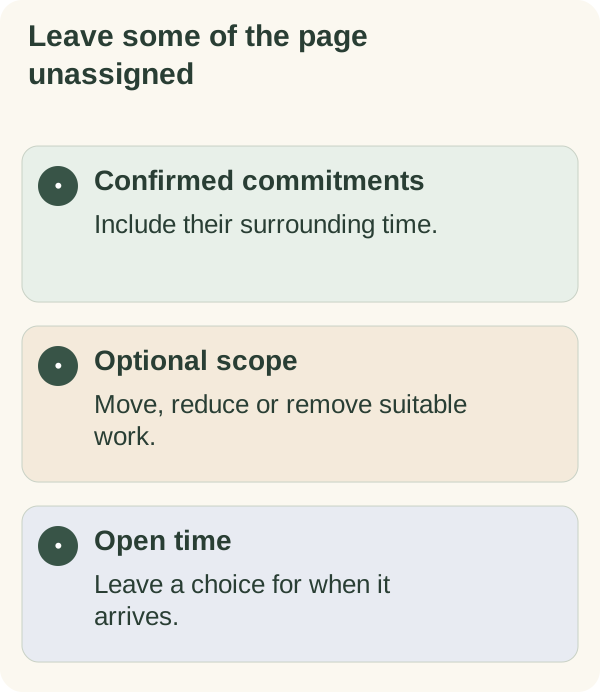
Common advice is to "schedule rest like a task". That helps, but it misses why rest disappears from most lists: the list was full before rest was ever considered, and the time around each task was never counted. This page fixes those two things. It does not tell you how much rest you need; that varies from person to person, and if you are worried about tiredness or your health, ask a doctor.
Count the time your list does not show
A to-do list usually shows tasks, not the time those tasks drag along with them. A one-hour appointment is rarely one hour of your day. Before choosing an order, write the real footprint next to each fixed item.
| On the list | What it actually takes | Real footprint |
|---|---|---|
| Meeting, 10 to 11 | Prep, the meeting, writing up actions | 10 minutes before, 15 after |
| Pick up a child at 3:15 | Leaving, travel, waiting at the gate | From about 2:50 to 3:40 |
| Supermarket shop | Travel, the shop, unpacking | Often twice the time in the shop |
| "Quick" call with the landlord | Finding the paperwork, the call, follow-up email | Half an hour or more |
Once you add the footprints, many lists that looked comfortable turn out to be full before any optional task is added. That is useful to know at 8 a.m., not at 6 p.m.
Edit a crowded list
- Fixed:
identify confirmed commitments and their surrounding time.
- Necessary:
keep genuinely required work visible.
- Optional:
move, reduce or remove work that does not need today's room.
- Open:
leave some available time without assigning another target.
- Next:
choose one clear action from work that is ready.
A list layout with a protected open line
Copy this layout. The order of the sections is the point: open time is written in before the optional tasks, so the optional tasks have to fit around it rather than the other way round.
TODAY: ____________

FIXED (with real footprint)
  ______  from ____ to ____
  ______  from ____ to ____

MUST HAPPEN TODAY
  ____________________
  ____________________

OPEN (unassigned; not a backup for anything)
  from ____ to ____

IF THERE IS ROOM (optional, smallest version)
  ____________________

MOVED OFF TODAY
  ____________________

First action: ____________________
Use whatever you find restful in the open block, or decide when you get there. Nothing on this page asks you to record how the open time went.
One gap, one claimant
There is a quiet trap in most busy lists. One free hour in the evening becomes the fallback for three different things: "if I don't finish the report, I'll do it tonight", "the ironing can go in tonight", "I'll call Mum tonight". On paper, all three are covered. In practice, only one fits, and the evening becomes a scramble instead of a rest.
The rule is simple: each gap can be the fallback for one task at most, and your protected open block cannot be a fallback for anything. If something does not fit and has no fallback, it goes in Moved off today.
For example: "The appointment and necessary errand remain. Optional shelf sorting moves off today's list. Leave the evening opening undecided." That is a smaller plan, not a promise to use the gap for another project once the errand ends.
Example: Sam's Saturday
Illustrative example only; this is not a real person's story. Sam's Saturday list read: swimming lesson with the kids at 9, food shop, finish a work slide deck, clean the bathroom, visit a friend's new flat, batch of ironing.
Adding footprints changed the picture. The swimming lesson took 8:30 to 10:30 once getting ready and drying off were counted. The food shop was nearer two hours than one. The friend visit, with travel, was mid-afternoon to early evening.
Sam's layout ended up as: Fixed (swimming, friend visit). Must happen (food shop, because the fridge was empty). Open: 7 to 9 p.m., unassigned. If there is room: the bathroom, smallest version (sink and mirror only). Moved off: the slide deck went to Monday morning, because no one needed it before Monday afternoon, and the ironing went to Sunday.
Looking back, Sam spotted the weak point: Friday's version of the layout had quietly made the open evening the fallback for the slide deck. On Friday night Sam took that link out, and on Saturday evening the open block stayed open. Making the open line a fixed part of the layout is the change that stuck. It is a small, practical example of Armored Kitten's small-steps approach: plan one manageable day, including the part where you stop.
When rest keeps getting swallowed
If the open block disappears day after day, look at why, using these rules.
- If spillover from the morning keeps eating it, the footprints are probably too short. Add more time around fixed items rather than shrinking the open block.
- If leaving time empty feels wrong or lazy, keep it small at first, and remember you can still choose to do something in it on the day. Empty on the page is not the same as wasted.
- If someone else keeps filling it, treat it as a commitment when you answer requests: "I've got something on from 7, could we do it tomorrow?"
- If the must-happen work alone does not fit, no layout will solve it. Tell the people involved, ask for help or agree a different deadline. Hiding the conflict in a more detailed schedule only moves it to later in the day.
For planning rest into habits across a whole week, see setting a habit goal with planned rest days.
Keep rest from becoming a score
You can choose something you find restful or leave the choice until the time arrives. There is no need to record the quality of the break or prove it was used well. If health, care or safety instructions affect your day, follow them; this list layout does not decide what can be reduced or how much rest you need.
Review changes one at a time
When the day changes, decide what remains necessary and what can wait. Tell anyone relying on a result. Avoid moving every removed optional item into the first free hour of the next day, which simply rebuilds the problem tomorrow.
Use make room for a difficult day to compare choices. The daily planner can help you write the necessary next action while leaving other time unassigned.
If you prefer a printed version, the Smaller-day planning cards have a "Where can I stop?" line that works as your open block.
Questions people often ask
How much open time should I leave? There is no single right amount. Start with one block you would genuinely notice losing, and adjust from there.
Is the open block the same as a lunch break? It can be, if lunch is a real break for you. If lunch is usually spent on errands, count it as fixed and leave a different block open.
What if I end up working in the open time anyway? Notice why, then fix the cause next time: footprints, too many musts, or a gap that was quietly promised to a task.
Does this work with a digital to-do app? Yes. Make a recurring item called "Open" with a time, and keep it out of any list of tasks to complete.