Choose one or two check-in questions that help you decide something: what matters today, which action to try or what to adjust afterward. You can use a notebook, a browser worksheet or your own companion conversation.
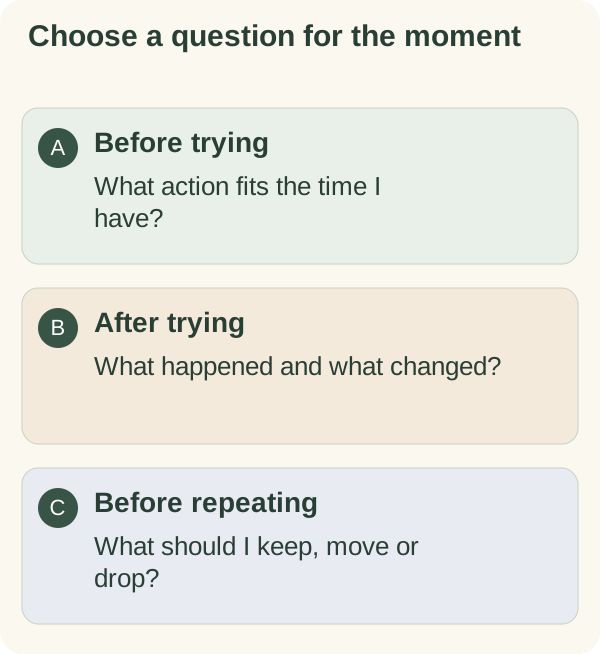
You can use these original prompts in a notebook, the daily planner, or your own conversation with the companion. They are writing prompts, not a questionnaire that scores your health or productivity.
Morning questions for choosing a direction
- What is the one thing I would like to move forward today?
- What is the first visible action?
- How much time do I actually have?
- What would be enough for today?
- Is there something I should deliberately leave for another day?
Choose one or two. If you already know your priority, spend the time starting it instead of answering every question.
Evening questions for noticing what happened
- What did I try?
- What went differently from the plan?
- What small thing deserves to be acknowledged?
- What needs carrying forward, and what can be dropped?
- Would I choose the same plan again tomorrow?
An unfinished item does not need a made-up positive ending. “The meeting overran, so I will choose another time” is an informative answer.
Questions for a low-energy or interrupted day
- Is there a smaller useful version of this action?
- Is this task still needed today?
- What could I prepare now to make the next attempt easier?
- Who needs a simple update rather than a completed result?
These prompts give you choices. They are not instructions to keep working when you need rest or help.
A copyable three-question template
Today I want to move forward: My next small action is: After trying it, I noticed:
For example: “Finish one section of the application. Open the draft and write the heading. I needed to find the reference number first.” The observation can become tomorrow's first action.
Choose reminders separately from the questions
Writing a check-in does not schedule it. If you want the companion to follow up, read the scheduled check-in tutorial, choose a time deliberately and review the confirmation. Other daily messages and checklist reminders have their own settings.
Telegram describes how bot commands and buttons work, but the exact actions available depend on the bot. Follow Armored Kitten's current interface and the tutorial for the feature you are using.
Give yourself a useful next read
If the same obstacle keeps appearing, try the habit restart worksheet. If the week feels scattered, use the weekly review template. The planning and reflection path connects those pages with the relevant bot instructions.